The owner's manual for Modded Cycles Techno Edition 1.0 (first edition, November 2026), by m_reilly. Also as a PDF.
CHAPTER 1Introduction
Modded Cycles Techno Edition 1.2 turns the Model:Cycles into a 28-machine instrument: 21 new voices next to Elektron's six, from circuit-modelled 909, 808 and 606 drums and 707 percussion to acid and FM basses, pads and a sampler, with a filter and an insert effect on every track, four extra parameters per machine, a sidechain, a master EQ, switchable 6-channel USB audio, a MIDI machine that plays your other gear from the sequencer, and a plug-in that brings it all into your DAW.
What is in this firmware
The firmware is Elektron's Model:Cycles OS 1.13 with these modifications, and nothing else:
| Mod | What you get | Where |
|---|---|---|
| 22 added machines | 909BD, 808BD, RUMBL, 909, 606, 808, METL2, BIAS, ACID, GROWL, MACRO, VACF, XMOD, DX, ATMOS, SAMPLER, GRANULAR, WAVETABLE, EMPTY, MIDI, UBSAW and 707, after Elektron's six (28 in total). | Ch. 6 |
| Machine selection | A MACHINES list with each machine's icon and name; press LEVEL/DATA to load (Mch Clk); machines that would overload the CPU are greyed out. | Ch. 3, 8 |
| Knob layer | Double-tap PUNCH and the knobs play the extras, the filter and the insert FX; the PUNCH LED blinks. Punch itself moves to a long press. | Ch. 3, 8 |
| Extra parameters | Up to four more parameters per added machine, on the knob layer's PITCH / DECAY / COLOR / SHAPE. The drum machines get Accent and Drift, after the real 909, 808 and 606. | Ch. 5 |
| Per-track filter | LP / HP / BP and 24 dB LP24 / HP24 with resonance and an envelope on every track, logarithmic cutoff. | Ch. 4 |
| Attack | A fade-in on every track, the six Elektron machines included: VOL + DIST on the knob layer. | Ch. 4 |
| Insert FX | One effect per track: drive, bitcrush, fold, ring modulator, resonator, RAT distortion. | Ch. 4 |
| Sampler | Send samples with Elektron Transfer; play them on SAMPLER, GRANULAR and WAVETABLE (mono or stereo files). | Ch. 7 |
| Model:Samples | The same firmware can be built for a Model:Samples (experimental). | Ch. 1 |
| USB audio 2CH / 6CH | SETTINGS › Mods › USB Out: the stereo mix, or the six tracks on six USB channels, with overload recovery. | Ch. 8 |
| Sidechain | One track ducks the others on every trig (the kick pumping the bass), saved with the project. | Ch. 8 |
| Master EQ | A DJ-style LOW / MID / HIGH EQ with kills on the whole mix: double-tap GATE. | Ch. 3 |
| LFO polarity | FUNC + LFO › Pol: BI (stock) or UNI per track, so the LFO only moves one way. | Ch. 3 |
| Turing Machine LFO | WAVE T3 … T16: a random loop of 3 to 16 steps that repeats and mutates (Sph), for melodies made on the fly. | Ch. 3 |
| LFO 2 | A second LFO on every track: press LFO twice. Its own speed, multiplier, wave, destination and depth. | Ch. 3 |
| Trk Trg | Track buttons can select a track without playing it. | Ch. 3, 8 |
| CPU management | A CPU charge per machine and a budget on the MACHINES list (CPU Lim); the send delay and reverb rest when nothing is sent to them; the machines that play run from fast internal memory; a CPU monitor with each track's share. | Ch. 8, 11 |
| Screens | A three-line sound browser with scrolling names, level and pan as numbers, and a boot animation. | Ch. 3 |
| MIDI for everything | Every added parameter on a CC and an NRPN; sidechain, USB 2CH / 6CH, samples, master EQ and projects by NRPN; GET sends the whole loaded sound back; the selected track and the loaded machine are sent out. The stock OS ignores every NRPN it receives; this firmware takes them in. | Ch. 9 |
Conventions
| Written as | Means |
|---|---|
| LAYER + PITCH | With the knob layer on (double-tap PUNCH, the PUNCH LED blinks), turn PITCH. Holding MACHINES while you turn does the same. |
| FUNC + LEVEL/DATA | Hold FUNC and turn (or press) the LEVEL/DATA encoder. |
| SETTINGS › Device › CPU | Open SETTINGS, select the Device row, then the CPU row. LEVEL/DATA scrolls and presses. |
| Extra 1–4 | The four extra parameters of a machine, on the knob layer's PITCH, DECAY, COLOR, SHAPE. |
| ACC | The short name the screen shows for a parameter. |
Building the firmware
The firmware is never distributed as a file: you build it on your computer from Elektron's official OS file, with the patcher in the Modded Cycles Techno Edition repository (github.com/mbreilly/Modded_cycles_techno_edition).
In your browser (easiest): open the web builder at mbreilly.github.io/Modded_cycles_techno_edition, drop model-cycles_OS1.13.syx on it and download modded-cycles-techno-edition.syx. It runs entirely on your computer and gives exactly the same file as the patcher below.
Or build with the patcher (Python 3.8 or later)
- Download model-cycles_OS1.13.syx from elektron.se (Model:Cycles › Support › Downloads; unzip it if needed).
- Download Modded-Cycles-Techno-Edition-firmware-patcher.zip from the repository's latest release and unzip it.
- In a terminal, in that folder:
python3 patch.py path/to/model-cycles_OS1.13.syx(on Windows,pyinstead ofpython3).
The patcher checks that your file is the official one, applies the mods, checks the result against its expected fingerprint and writes modded-cycles-techno-edition.syx next to your file. If anything does not match, it stops and writes nothing.
Optional: your own DX sounds (a DX7 bank)
The DX machine (20) plays 32 sounds of its own on COLOR. You can swap them for any DX7 32-voice bank (a
.syx of about 4 KB, from a DX7, from Dexed, or a bank you downloaded) when you build the firmware. In the web
builder, open Optional: your own DX sounds and choose the bank, before or after dropping the OS file. With the
patcher, add the bank to the command: python3 patch.py path/to/model-cycles_OS1.13.syx --dx-bank my-bank.syx.
The firmware is first built and checked as usual, then the bank goes in; the file is called modded-cycles-techno-edition-dx.syx. COLOR 0–31 picks the bank's voices 1–32 and the screen shows the first three letters of each name (BRASS 1 and BRASS 2 become BR1 and BR2). To change banks, build and flash again: projects keep the COLOR value, so they play whatever voice is in that slot. To edit the built-in sounds, start from modded-cycles-dx-bank.syx (in the repository's docs/dx folder, or linked from the web builder), the 32 built-in sounds as a DX7 bank.
The DX machine takes from each voice its algorithm, feedback, each operator's frequency, level, envelope and velocity sensitivity, and the voice's transpose. It leaves out keyboard scaling, the pitch envelope, the LFO, and plays fixed-frequency operators as if you played C4. A voice sounds close to a real DX7, not identical: SHAPE (Bright) and SWEEP (Env Time) tame one that is too bright or too fast. The plug-in keeps showing the built-in names for COLOR.
Installing, and getting back to the official OS
Only the main OS is changed: the bootloader and the startup menu stay exactly as Elektron made them, so the official OS can always be put back. Back up your projects and samples with Elektron Transfer first.
Over USB: open Elektron Transfer, connect the Cycles and drop modded-cycles-techno-edition.syx on it, as for an official OS update.
Or through the startup menu
- Connect a MIDI interface's MIDI OUT to the Model:Cycles' MIDI IN (stereo TRS jack or the DIN adaptor). The startup menu does not listen on USB.
- Power off. Hold FUNC, power on, release, then press TRIG 4 (OS UPGRADE). The screen shows READY TO RECEIVE.
- Send the .syx to the interface's port with any SysEx tool. The screen moves to RECEIVING, then UPDATING FLASH. Do not switch off during the update: sending over MIDI takes a few minutes.
- The Cycles restarts by itself within 1–3 minutes when it is done.
To go back to the stock firmware, send Elektron's official OS 1.13 file the same way.
Your projects on the official OS (or another mod)
Projects saved on this firmware open on the official OS without crashing, but not everything comes with them. Before going back, set every track that uses an added machine (7–27, EMPTY included) to one of the six original machines, and save the project. Otherwise:
- A track on an added machine plays CHORD with the wrong settings; the MACHINES screen shows Error and the knobs do nothing. Turn LEVEL/DATA on the MACHINES screen: the track lands on CHORD with its own settings, and you can pick any original machine from there.
- A project started on this firmware has EMPTY on all six tracks, so on the official OS all six show Error until you change them.
- The added settings (track filter, machine extras, insert FX, sidechain, master EQ) are ignored by the official OS; an LFO aimed at the track filter moves another parameter instead. Saving the project on the official OS erases them: back on this firmware they load at their default values.
- Another mod firmware numbers its added machines its own way, so a track can open as a different machine, and its added settings may read ours differently. Set the tracks to original machines first there too.
Projects made on the official OS open on this firmware as they were, with the added settings at their defaults.
Switching firmware cleanly
Flashing changes the firmware, not your project: after the flash, the Cycles reopens the project you were on, made on the old firmware. A project belongs to the firmware it was made on; keep as many projects for each firmware as you like.
- Save your project and back it up with Elektron Transfer.
- Flash the other firmware.
- Before you play or save anything, load a project made on this firmware, or start a new one. If the Cycles asks whether to save the old project first, answer NO.
- Save a new project right away in a free slot. A name that tells the firmware (OG…, TE…) makes it easy to find later.
To take a project along: before you flash, set every track to one of the six original machines, save it as a copy in a free slot (the original stays as it is), then flash; the Cycles opens the copy. Whatever only the old firmware has stays behind. The Mods page settings (USB Out, Trk Trg, Mch Clk…) are kept by the Cycles itself, not by a project.
On a Model:Samples (experimental)
The same firmware runs on a Model:Samples: the hardware is the same, and the Samples becomes a Model:Cycles with everything in this manual. Its own sampling is replaced by this firmware's SAMPLER, GRANULAR and WAVETABLE, which play samples you send with Elektron Transfer (Chapter 7). The knobs and keys do what this manual says for the control in the same place on a Model:Cycles; only the printed names differ.
The firmware is packed inside the Samples' own firmware file: its bootloader, startup menu and signature stay Elektron's, and only the main OS changes, so the official Model:Samples OS can always be put back. This option is experimental: it has been loaded on a real Model:Samples through the startup menu, but installing with Elektron Transfer is not verified yet.
Build it
- Download both official files from elektron.se: model-cycles_OS1.13.syx (Model:Cycles › Support › Downloads) and model-samples_OS1.13.syx (Model:Samples › Support › Downloads).
- In the web builder, pick Model:Samples in step 1 and drop both files. Or with the patcher:
python3 patch.py --machine samples model-cycles_OS1.13.syx model-samples_OS1.13.syx(the files in any order;--dx-bankworks here too). - You get modded-cycles-techno-edition_model-samples.syx (…-dx.syx with your DX bank).
Install it
- Back up the Samples' projects and samples with Elektron Transfer. Projects and samples made on the Model:Samples OS are not made for this firmware.
- Through the startup menu (tested): connect a MIDI interface's MIDI OUT to the Samples' MIDI IN. Power off, hold FUNC, power on, release, press TRIG 4 (OS UPGRADE), and send the file with any SysEx tool, as above. This works whatever OS the Samples runs, so it is also how you install a newer version later.
- Or with Elektron Transfer over USB (not verified yet): only while the Samples still runs its own Model:Samples OS. Drop the file on Transfer, as for an official OS update.
- Do not switch off during the update; the Samples restarts by itself within 1–3 minutes after the transfer.
Once installed, Transfer no longer updates it: install newer versions through the startup menu. A file built for a Model:Cycles is refused by a Samples running this firmware (nothing is written), and a Samples file is only for a real Model:Samples. To go back, set every track to one of the six original machines (as above), then send the official model-samples_OS1.13.syx through the startup menu.
Experimental firmware. Every part of it is tested in emulation, running the Model:Cycles' own code (Chapter 11), and has been played on real hardware, but it is not made or supported by Elektron. Use it at your own risk, and back up your projects before flashing.
CHAPTER 2Quick reference
Every key combination the firmware adds or changes, the machine list, and what each knob does on each added machine.
PITCH Extra 1 CC 20 | DECAY Extra 2 CC 21 | COLOR Extra 3 CC 22 | SHAPE Extra 4 CC 23 | SWEEP Cutoff CC 74 | CONTOUR Reso CC 71 | DELAY Env CC 24 | REVERB Env Decay CC 25 | LFO SPEED Type CC 26 | SWING FX Type CC 27 | CHANCE FX Amt CC 28 | VOL+DIST Attack CC 29 |
Every button combination
| Press | Where | Does |
|---|---|---|
| PUNCH twice, quickly | Any track (Knb Lyr PUNCH, the default) | Knob layer on or off: the knobs play the extras, filter and insert FX. The PUNCH LED blinks while it is on. |
| PUNCH held ½ s | Any track (Knb Lyr PUNCH) | Punch on or off (with TRK held: all six tracks). A single short press does nothing. |
| Layer + PITCH / DECAY / COLOR / SHAPE | Added machines | Extra 1 / 2 / 3 / 4 (CC 20–23). |
| Layer + SWEEP | Every track | Filter Cutoff, 20 Hz–20 kHz (CC 74). |
| Layer + CONTOUR | Every track | Filter Reso (CC 71). |
| Layer + DELAY | Every track | Filter Env amount, bipolar (CC 24). |
| Layer + REVERB | Every track | Filter Env Decay, 5 ms–10 s (CC 25). |
| Layer + LFO SPEED | Every track | Filter Type: OFF / LP / HP / BP / LP24 / HP24 (CC 26). |
| Layer + SWING | Every track | Insert FX Type: OFF / DRV / CRS / FLD / RNG / RES / RAT (CC 27). |
| Layer + CHANCE | Every track | Insert FX Amount, 0–127 (CC 28). |
| Layer + VOL + DIST | Every track | Attack: a fade-in on every note, 0 = off to 2 s (CC 29). |
| MACHINES held + any of the knobs above | Any track | The same parameters as the layer, while MACHINES is held. |
| MACHINES | Any track | Opens the MACHINES list; turn LEVEL/DATA to choose one of 28 machines. |
| LEVEL/DATA (press) | MACHINES list, Mch Clk ON | Loads the machine under the “>” and closes the list. Turning alone only moves the cursor; the loaded machine keeps its box. |
| Knobs while the MACHINES list is open | Knb Lyr MACH | The layer's parameters. Press MACHINES to leave. |
| Hold trig + LEVEL/DATA | MACHINES list | Locks a machine on that trig (stock behaviour; the locked line is framed). |
| FUNC + MACHINES | Any track | Sound browser, three lines, long names scroll. On a SAMPLER / GRANULAR / WAVETABLE track, choosing a sample file loads it. |
| LEVEL/DATA (turn) | Main screen | Track level, shown as 0–127. |
| FUNC + LEVEL/DATA | Main screen | Track pan, shown as −64 to 63. |
| FUNC + PITCH | MACRO | Lo-fi: left = sample rate (46K…4K), right = bits (12B…2B), centre = off. On other machines it still steps the note in semitones. |
| PUNCH held ½ s | ACID | Off = saw, on = square. |
| FUNC + LFO › Pol | Any track | LFO polarity: BI (stock) or UNI; press LEVEL/DATA to switch. |
| LFO twice | Any track | LFO 2 page (a big “2” on the left): the knobs and rows set LFO 2. Press LFO again to close. |
| FUNC + RETRIG › Arp … Lat | Any track | Arpeggiator: direction, octaves, chord, gate, latch (saved with the pattern). |
| TRIG + RETRIG | Arp not OFF | That trig arpeggiates its note (and chord) at the retrig rate, for the retrig length. |
| GATE twice, quickly | Any track | Master EQ layer on or off: PITCH / DECAY / COLOR = LOW / MID / HIGH. The GATE LED blinks while it is on. |
| GATE held ½ s | Any track | GATE on or off (a single short press does nothing). |
| GATE on, STOP / PLAY | ATMOS | Drone: the track plays by itself while the sequencer runs; STOP fades it out with DECAY, PLAY brings it back. |
| T1…T6 | Trk Trg OFF | Selects the track without playing it. |
| TRK + T1…T6 | Trk Trg OFF | Selects the track and plays it (the reverse of the stock OS). |
| Trig LEN longer than the gap | ACID | Slide into the next note instead of retriggering. |
| SETTINGS › Mods › USB Out, press LEVEL/DATA | Settings | Toggles 2CH (stereo mix) and 6CH (six tracks). The computer sees the Cycles reconnect. |
| SETTINGS › Mods › SC rows | Settings | Sidechain: source, depth, attack, hold, release; Duck T1–T6 (Ch. 8). |
| SETTINGS › Mods › Trk Trg / Mch Clk / Knb Lyr | Settings | Track buttons select only; press to load a machine; PUNCH (default) or MACH for the knob layer. |
| SETTINGS › Mods › CPU Lim | Settings | The limit for greying out machines: 80 % (default), 85, 90, 95, OFF, 60 … 75. |
| SETTINGS › Device › Transfer | Settings | CYC (normal) or SMP (Elektron Transfer sees a Model:Samples, to send samples). Back to CYC at each power-on. |
| SETTINGS › Device › CPU | Settings | Opens the CPU monitor. Turn LEVEL/DATA right for each track's share, left to go back. |
| Hold trig + PAGE | Sequencer stopped or paused | Trig preview: that step plays; the page does not turn. |
| Hold FUNC at power-on, then TRIG 4 | Startup | Startup menu, OS UPGRADE over MIDI IN (recovery). |
The 28 machines
| # | Machine | Type | # | Machine | Type | |
|---|---|---|---|---|---|---|
| 1 | KICK | Stock | 15 | ACID | Bass | |
| 2 | SNARE | Stock | 16 | GROWL | Bass | |
| 3 | METAL | Stock | 17 | MACRO | Synth | |
| 4 | PERC | Stock | 18 | VACF | Synth | |
| 5 | TONE | Stock | 19 | XMOD | Synth | |
| 6 | CHORD | Stock | 20 | DX | Synth | |
| 7 | 909BD | Kick | 21 | ATMOS | Pad | |
| 8 | 808BD | Kick | 22 | SAMPLER | Sample | |
| 9 | RUMBL | Kick | 23 | GRANULAR | Sample | |
| 10 | 909 | Drums | 24 | WAVETABLE | Sample | |
| 11 | 606 | Drums | 25 | EMPTY | Utility | |
| 12 | 808 | Hats & cymbal | 26 | MIDI | Utility | |
| 13 | METL2 | Metal | 27 | UBSAW | Synth | |
| 14 | BIAS | Percussion | 28 | 707 | Percussion |
Main knobs of the added machines
The stock machines (1–6) keep Elektron's knobs. CC numbers are those the Model:Cycles uses for every machine.
| # | Machine | COLOR · CC 16 | SHAPE · CC 17 | SWEEP · CC 18 | CONTOUR · CC 19 |
|---|---|---|---|---|---|
| 7 | 909BD | BD Attack | BD Shape | BD Sweep | Sweep Time |
| 8 | 808BD | BD Tone | BD Drop | Drop Time | Accent |
| 9 | RUMBL | Tail | Damp | Drive | Hold |
| 10 | 909 | Tone/ Noise | Voice | Sweep/ Spread | Time/ Burst |
| 11 | 606 | Tone | Voice | Sweep | Noise |
| 12 | 808 | Color/ Tone | Voice HPF | Res/Hi Decay | Noise/ Spread |
| 13 | METL2 | Struct | Bright | Position | Exciter |
| 14 | BIAS | Harm | Morph | Spread | Fold |
| 15 | ACID | Cutoff | Reso | Env Mod | Drive |
| 16 | GROWL | Detune | Growl Rate | Growl Depth | Tone |
| 17 | MACRO | Timbre | Model | Color | Env Timbre |
| 18 | VACF | Cutoff | Reso | Env Mod | Wave |
| 19 | XMOD | Timbre | Mod Ratio | Mod Wave | Algo |
| 20 | DX | Patch | Bright | Env Time | Algo |
| 21 | ATMOS | Color | Chord | Drift | Space |
| 22 | SAMPLER | Start | End | Mode | Lofi |
| 23 | GRANULAR | Position | Size | Density | Spray |
| 24 | WAVETABLE | Position | Warp | Env | Env Speed |
| 25 | EMPTY | ||||
| 26 | MIDI | CC A | CC B | CC C | CC D |
| 27 | UBSAW | Detune | Mix | Chord | Chord Level |
| 28 | 707 | Tone | Voice | Snap | Spread |
Extra parameters of the added machines
Double-tap PUNCH for the knob layer and turn the knob (or hold MACHINES and turn). Short screen names in amber. Default 0 is always the machine's plain sound.
| # | Machine | + PITCH · CC 20 | + DECAY · CC 21 | + COLOR · CC 22 | + SHAPE · CC 23 |
|---|---|---|---|---|---|
| 7 | 909BD | Accent ACC | Tune Decay TDEC | Click CLIK | Tone TONE |
| 8 | 808BD | Drift DRFT | Tail TAIL | Click CLIK | — |
| 9 | RUMBL | Sweep SWP | Sweep Time STIM | Rumble Level RLVL | Tail Pitch TPIT |
| 10 | 909 | Accent ACC | Range/ Tail TAIL | Drift DRFT | Tone TONE |
| 11 | 606 | Drift DRFT | Long Decay LONG | Sweep SWP | Accent Level ACC |
| 12 | 808 | Metal Tune TUNE | Drift DRFT | Filter/ Curve FCRV | Accent Level ACC |
| 13 | METL2 | Dent DENT | Scrape SCRP | Hi Damp HDMP | Drive DRV |
| 14 | BIAS | Liquid LIQ | Liq Time LQTM | Strike STRK | Drive DRV |
| 15 | ACID | Slide Time SLID | Filter FM FFM | Muffler MUFF | Accent ACC |
| 16 | GROWL | Sub Level SUB | Attack ATK | Noise NOIS | Drive DRV |
| 17 | MACRO | Attack ATK | Env Color ENVC | Lofi Bits BITS | Lofi Rate RATE |
| 18 | VACF | Sync SYNC | Detune DET | Sub SUB | Drive DRV |
| 19 | XMOD | Car Wave CWAV | Mod Env MENV | Detune DET | Crush CRSH |
| 20 | DX | Feedback FB | Op6 Ratio OP6R | Vel Sens VELS | Detune DET |
| 21 | ATMOS | Swell SWEL | Air AIR | Wobble WOBL | Width WIDE |
| 22 | SAMPLER | Fine FINE | Attack ATK | Loop Start LPST | Drive DRV |
| 23 | GRANULAR | Spread SPRD | Window WIN | Scan SCAN | Reverse REV |
| 24 | WAVETABLE | Sub SUB | Detune DET | Crush CRSH | Drive DRV |
| 25 | EMPTY | — | — | — | — |
| 26 | MIDI | CC A Number CCA# | CC B Number CCB# | CC C Number CCC# | CC D Number CCD# |
| 27 | UBSAW | Low Cut LCUT | Drift DRFT | — | — |
| 28 | 707 | Drift DRFT | Long Decay LONG | — | Accent Level ACC |
CHAPTER 3Everyday use
The screens you meet all the time: the MACHINES list, the sound browser and the level and pan readouts.
Choosing a machine
Select a track and press MACHINES. The screen shows the machine's small icon on the left (K, S, M, P, T, C, or the bars, saw-teeth, waves and static icons of the added types), four machine names on the right with a “>” in front of the selected one, arrows at the right edge, and a counter (for example 09/25) in the title bar. Turn LEVEL/DATA to move through the 28 machines; the arrows go hollow at either end.
Click to load (Mch Clk ON, the default). Turning LEVEL/DATA only moves the “>”; the machine that is loaded keeps its line in an inverted box. Press LEVEL/DATA to load the machine under the “>”, and the screen closes as usual. Closing the screen any other way changes nothing, so a bump of the encoder while you work no longer changes the machine. Hold TRK while you press and all six tracks move by the same number of steps, as TRK + turn does on the stock OS. With Mch Clk OFF, turning loads at once, as stock.
A machine can be locked on a trig as on the stock OS: hold the trig and turn LEVEL/DATA (this always works at once, Mch Clk or not). The locked machine's line is framed.
Names can be up to 11 characters on this screen, so SAMPLER and WAVETABLE are spelled out in full.
CPU budget (greyed-out machines). Each machine has a fixed CPU charge (its heaviest measured cost; see the appendix), and each track adds its filter and insert FX. A machine that would take the six tracks over the limit set in SETTINGS › Mods › CPU Lim is shown greyed out (half-lit) and the “>” skips it. While the list is open, the title shows the total load in % with the machine under the “>” on this track: the rest of the OS (about 31 %), 8 % more while the computer reads the USB audio, the master EQ when it is not flat, 8 % less while the delay and reverb rest, and the six tracks. It follows the CPU page closely, so a new project reads about 31 %. You are never locked: a machine that does not raise the load is always allowed, so an older, heavy project can always be lightened. With TRK held (all six tracks), the load counts that machine six times. A machine locked on a trig is not checked.
EMPTY is machine 25: silence at almost no CPU. A new project, or a cleared kit, puts EMPTY on all six tracks, so you start with the whole budget free.
The knob layer (PUNCH double tap)
The extras, the filter and the insert FX are played from the knob layer, so both hands stay free. It is the default way (SETTINGS › Mods › Knb Lyr = PUNCH):
- Double-tap PUNCH (two short presses, well under half a second apart). The PUNCH LED starts to blink, once a second.
- Turn the knobs: PITCH, DECAY, COLOR and SHAPE give Extra 1–4, SWEEP / CONTOUR / DELAY / REVERB / LFO SPEED the filter, SWING / CHANCE the insert FX (Chapter 2). Holding MACHINES and turning a knob does the same. P-locks work the same: hold a trig and turn.
- Double-tap PUNCH again to leave. The LED goes back to showing punch.
- Punch moves to a long press: hold PUNCH about half a second to switch punch on or off (TRK + PUNCH held: all six tracks). It works with the layer on too. A single short press does nothing, so a double tap never flips punch. On ACID, the drum machines and the other machines where PUNCH is the accent or the wave, use the long press.
- FUNC + PUNCH works as stock.
- The layer is not saved: it is off at power-on.
- The blinking LED is the same LED at the same brightness as punch: the Cycles' LEDs are simply on or off, so it can never be brighter than stock.
- Prefer the MACHINES screen? Set SETTINGS › Mods › Knb Lyr to MACH: then the knobs give the layer while the MACHINES list is open (press MACHINES again to leave), and PUNCH works exactly as stock (Chapter 8).
The sound browser
Press FUNC + MACHINES to open the sound (preset) browser.
- Three lines at once, in a small font, so you see what comes before and after. The “>” follows the cursor, the loaded sound is highlighted and folders are marked with a square. On a SAMPLER, GRANULAR or WAVETABLE track, the sample file the track plays is highlighted the same way.
- Long names scroll: a selected name that is too long for the screen scrolls left, one character every 0.17 s, with a 0.5 s pause at the end. Short names stay still.
- Samples: files sent with Elektron Transfer appear in the browser too. On a SAMPLER, GRANULAR or WAVETABLE track, choosing one loads it on that track (Chapter 7).
Level and pan as numbers
On the main screen, turning LEVEL/DATA shows the track level (0–127) in digits in place of the loudspeaker icon, and FUNC + LEVEL/DATA shows the pan (−64 to 63). The number disappears 3–4 seconds after you stop. LEVEL/DATA moves in steps of 1, so every value is reachable. Changes by MIDI or by loading a project show nothing.
Trig preview
With the sequencer stopped or paused, hold a trig and press PAGE: that step plays with its own note, length, p-locks and sound lock, so you can check a step without starting the pattern. The page does not turn and the trig stays. It plays whatever the trig condition or probability, and also on a muted track. While the sequencer runs, PAGE turns the page as on the stock OS. (Trig preview is drumkilla's mod, MIT licence, since 1.6.3.)
Boot animation
At power-on the screen shows the logo (four rounded squares popping in), then “modded cycles” and “techno edition” typing themselves on two lines, instead of the tile animation. The finished screen holds about a second longer than the stock animation. Holding FUNC at power-on still opens the startup menu.
LFO polarity
Press FUNC + LFO to open LFO Setup. After Rst, Fde and Sph it has a fourth row, Pol: scroll down with LEVEL/DATA and press it to switch the selected track between BI (the stock LFO, the default) and UNI.
In UNI the triangle, sine, square, saw and random waves are squeezed to the 0…1 range: with a positive DEP the parameter only rises from where you set it, with a negative DEP it only falls. An LFO on the filter opens it and never closes it below the knob. EXP and RMP already worked that way and are unchanged.
- Pol is set per track and remembered at power-off (it is a setting of the machine, not of the sound). The plug-in sets it too (NRPN 1:56).
- Cost: under 0.1 % of the CPU.
Turing Machine LFO
Turn the LFO page's WAVE past RND: T3 T4 T5 T6 T7 T8 T12 T16. Each is a loop of random values, 3 to 16 steps long, that repeats, the idea of Music Thing Modular's Turing Machine (as in the alternative Peaks firmware's LFO). Point it at PITCH and it plays a short melody that you can freeze or let drift.
- How much it changes: FUNC + LFO › Sph. 0 = the loop is locked and repeats exactly; turn it up and a few notes change on each pass; 127 = fully random. For these waves Sph is the mutation, not the start phase. Found a loop you like? Set Sph back to 0.
- Speed: one step per LFO cycle, set with SPD and MULT like any wave. With MODE on TRG (or HLD), every trig of the track also moves one step and restarts the cycle: with a slow SPD you get one new note per trig.
- Notes: DEST PITCH, then DEP sets the range (DEP 6 ≈ an octave up and down). The steps land on whole semitones (any destination moves in whole knob steps). Pol UNI keeps the melody above PITCH.
- WAVE, Sph and the rest save with the sound and take p-locks; the plug-in shows them as Turing 3 … Turing 16 and Phase/Mutate. A stock OS reads these waves as RND.
- The loop itself is not saved: after power-off, or after another wave, a new random loop starts. Changing the length keeps the loop going. A short loop can come out flat (every step the same): raise Sph for a moment.
- Cost: about 0.5 % of the CPU at worst with all six tracks on a Turing wave.
LFO 2
Every track has a second LFO. Press LFO once for the usual LFO page (LFO 1). Press it again: a big 2 appears in the box on the left, and the page now sets LFO 2. Press LFO a third time to close the page.
- On the LFO 2 page, LFO SPEED and LFO DEPTH and the WAVE, MULT and DEST rows set LFO 2. They work like LFO 1's: the same speeds, the same waves (Turing T3 … T16 included) and the same list of destinations.
- Shared with LFO 1: FADE, Sph (start phase, or the Turing mutation), MODE and Rst in LFO Setup (FUNC + LFO), and Pol (BI / UNI). They apply to both LFOs.
- Give LFO 2 its own destination, for example LFO 1 slow on COLOR and LFO 2 fast on Filter Cutoff. Both on the same destination add up.
- LFO 2 saves with the sound, the kit and the pattern, and takes p-locks: hold a trig and turn a knob on the LFO 2 page. LFO 2 is stored next to LFO 1's MULT, WAVE, DEST and MODE, so a p-lock of an LFO 2 setting also keeps LFO 1's value of the same pair on that trig.
- Sounds made before (or on the stock OS) load with LFO 2 off: no destination, depth 0. The stock OS ignores LFO 2 and forgets it the next time the sound is saved there.
- MIDI: CC 111 Speed, 112 Multiplier, 113 Wave, 114 Destination, 115 Depth on the track's channel, both ways; the plug-in has an LFO 2 page. While the LFO 2 page is open, LFO 1's CCs (102–109) set LFO 2.
- Cost: nothing while no track uses LFO 2; about 1.7 % of the CPU with LFO 2 on all six tracks.
Arpeggiator
The retrig becomes an arpeggiator. Press FUNC + RETRIG: below Rte, Len and A.On come five rows, saved with the pattern for each track (turn LEVEL/DATA to change the one under the cursor).
- Arp: the direction. UP, DOWN, UPDN (up then down), RAND (never the same note twice in a row), PLAY (in the order you played them), OFF (the plain retrig).
- Oct: 1 to 4 octaves; the pattern repeats one octave higher each time.
- Chd: a chord built on every note. OFF, OCT (octaves), 5TH (power chord), MIN, MI7, MI9, M11, SU2, SU4, MAJ, MA7, DRK (dark), CLU (cluster). One trig with MIN and Oct 2 plays a minor arpeggio over two octaves.
- Gat: how long each note lasts, from 1/8 to 8/8 of the gap to the next one. 8/8 = the stock length; turn right for longer notes. Short gates make ACID and the basses pluck.
- Lat: latch, for live playing. ON: the arpeggio keeps going after you let go; notes played after a full release replace the old ones. Back to OFF: it stops.
From the sequencer. Put a retrig on a trig (hold the trig, press RETRIG, set its rate and length as usual). With Arp not OFF, that trig plays its note's arpeggio (chord × octaves) at the retrig rate and stops at the end of the retrig length. A trig without retrig plays its note alone. Each track has its own settings, so two tracks can arpeggiate different chords at once.
Live. Hold RETRIG (or turn A.On on) and hold notes in keyboard mode: they play one after another at the Rte rate, with the chord and octaves. Add or release notes while it plays: the rhythm goes on. It stops when you let go of the last note, unless Lat is ON.
- Works on any machine that follows the note (synths, basses, ATMOS, SAMPLER…). Drums with a fixed pitch just repeat.
- Copying a track carries its Arp and Oct; Chd, Gat and Lat stay with the pattern's track slot.
- A stock OS, or a project saved before this version, plays the plain retrig.
- The plug-in shows the five settings on each track's TRIG page and follows the device.
- Cost: a few thousand instructions per arpeggio note at worst; nothing when no arpeggio plays.
Track buttons and drones
Trk Trg. On the stock OS a track button (T1–T6) selects the track and plays its sound. Set SETTINGS › Mods › Trk Trg to OFF and a track button only selects the track: the screen and lights follow, nothing sounds and no MIDI note goes out. To play a track in this mode, hold TRK and press its button. TRK + RETRIG + track still plays with the retrig rate. The setting is remembered at power-off. ON is the default.
Drones. ATMOS is a drone machine: with GATE on it sounds by itself while the sequencer plays, with no trig in the pattern. Press STOP and it fades out with its DECAY and its Space tail; press PLAY and it comes back. A trig on a droning track retunes it without a gap. Notes played while the sequencer is stopped (keyboard, step preview) behave as with GATE off.
Master EQ (GATE double tap)
A DJ-mixer EQ on the whole mix (the six tracks and the delay and reverb returns), just before the master volume and the USB copy. It plays from a knob layer of its own:
- Double-tap GATE. The GATE LED blinks once a second and the screen shows MASTER EQ with the three bands (value in dB and a bar).
- Turn PITCH = LOW, DECAY = MID, COLOR = HIGH. Centre (64) = 0 dB, with a notch so you can find it; full left = the band is killed; full right = +6 dB. The bands cross at 250 Hz and 2.5 kHz and add back to the exact mix when flat.
- Double-tap GATE again to leave. Double-tapping PUNCH switches to the PUNCH knob layer instead (only one layer at a time).
- GATE moves to a long press: hold GATE about half a second to switch it on or off (this is how you start a drone). A single short press does nothing. FUNC + GATE works as stock.
- On the EQ layer, SHAPE, SWEEP and CONTOUR do nothing (so a stray turn changes nothing); LEVEL/DATA and the keys keep their normal job.
- The EQ is saved with the project. By MIDI: NRPN 1:63 / 1:64 / 1:65 on the FX channel (LOW / MID / HIGH); the plug-in's FX page has the three bands and KILL buttons.
- Cost: nothing while all three bands are at 64; up to 3.9 % of a block when in use, counted in the CPU Lim budget.
CHAPTER 4Filter and insert FX on every track
Every track, on every machine, has its own resonant filter with an envelope and an insert effect after it, all set from the knob layer (double-tap PUNCH) or with MACHINES held. The signal runs machine → filter → insert FX → sidechain → level, pan and sends.
The filter
| Layer + | Parameter | Range and use |
|---|---|---|
| LFO SPEED | Filter Type · CC 26 | OFF (default) / LP (low-pass) / HP (high-pass) / BP (band-pass), all 12 dB per octave, and LP24 / HP24, steeper 24 dB per octave versions like Ableton's filter (they use a little more CPU, only on the tracks set to them). OFF leaves the sound untouched and costs nothing. |
| SWEEP | Filter Cutoff · CC 74 | 0–126 = 20 Hz to 20 kHz on a logarithmic curve, about 13 steps per octave, like Ableton's filters. On LP, 127 (the default) is fully open: the track passes through exactly as with Type OFF. On HP, 0 is fully open. |
| CONTOUR | Filter Reso · CC 71 | 0–127, from flat (Butterworth) up to a strong peak, about +18 to +25 dB above the passband at 127. The rest of the sound keeps its level and its low end. The peak saturates softly like an analog filter, growling instead of whistling. A strong Filter Env can sweep right to the top without the filter cutting out. Works on every type. |
| DELAY | Filter Env · CC 24 | How far the envelope moves the cutoff: left of centre lowers it, right raises it, centre (64) = no envelope. |
| REVERB | Env Decay · CC 25 | How fast the envelope returns, 5 ms to 10 s. It restarts on each note. |
- The five filter parameters save with the sound and take p-locks, LFO and velocity like any other parameter.
- One layout everywhere: on the layer, PITCH, DECAY, COLOR, SHAPE play the machine's extras (added machines; on the stock machines they stay the normal knobs), while SWEEP, CONTOUR, DELAY, REVERB play the filter on every track and LFO SPEED picks its type. Leave the layer and DELAY and REVERB are the sends again.
Reso at 127 on a loud track can reach full scale; turn the track's level down a little if it clips. The filter costs about 1 % of a block per filtered track.
Try this. Type LP, Cutoff about 60, Reso 90, Env +40 and Env Decay 30 on a TONE or VACF track for a quick acid pluck. Type HP with a high cutoff on a hat track thins it without touching the machine's own knobs.
Insert FX
One effect per track, after the filter. It only affects its own track: a drive on the kick takes nothing from the others.
| Layer + | Parameter | Range and use |
|---|---|---|
| SWING | FX Type · CC 27 | OFF (default), DRV, CRS, FLD, RNG, RES, RAT. OFF leaves the track exactly as without the mod. |
| CHANCE | FX Amount · CC 28 | 0–127, default 64. It glides without clicks and can be modulated. |
| Type | Effect | What Amount does | CPU per track |
|---|---|---|---|
| DRV | Drive | Gain up to ×16 into a cubic soft clipper, with level compensation. | 1.0 % |
| CRS | Bitcrush | Fewer bits and a lower sample rate together. | 0.2 % |
| FLD | Wavefold | Gain up to ×8 into a phase folder: metallic, hollow overtones. | 0.5 % |
| RNG | Ring modulator | Blend of a 300 Hz ring modulation: bell-like, inharmonic. | 0.6 % |
| RES | Resonator | Two resonant bands, 240 Hz and 2.6 kHz, from a light colour to near self-oscillation at 127; the low band is weighted ×4. Soft-limited, never hard-clipped. | 1.8 % |
| RAT | RAT distortion | After the ProCo RAT pedal: up to ×256 of gain in the mids but twelve times less in the lows, so a kick keeps its round low end while the attack turns square; the top darkens as the gain rises. Dense and mid-heavy, much harder than DRV. | 2.1 % |
- Both settings save with the sound and take p-locks. An LFO cannot jump the FX Type (an LFO on None leaves it alone); FX Amount can be modulated.
- Off the layer, SWING and CHANCE are the stock trig settings, and VOL + DIST is the stock Volume + Distortion.
- Sounds saved on the stock OS load with FX OFF, Amount 64.
- Six tracks of RES cost about 13 % of a block; with the filter at its worst on all six as well, about 20 %.
Try this. DRV at 70 on a 909BD for a harder, rounder kick; RES at 110 on a hat track for metallic ringing; CRS on a pad for lo-fi grit; RNG on a DX bell for a broken, clangorous tone; RAT at 100 on a kick for a square, overdriven attack with the low end intact.
Attack
A fade-in on every track and every machine, the six Elektron machines included. Each note starts from silence and rises to full level, after the filter and the insert effect, so the whole sound fades in: a soft pad, a bowed bass, hats that turn into a shaker.
| Layer + | Parameter | Range and use |
|---|---|---|
| VOL + DIST | Attack · CC 29 | 0 (default) = off, the track plays exactly as without it. 1 = 1.4 ms (softens a click), 20 ≈ 4 ms, 40 ≈ 13 ms, 64 ≈ 53 ms, 100 ≈ 0.4 s, 127 = 2 s. |
- Every trig starts the fade again from silence, so a note that retriggers cuts the tail of the one before, like an amp envelope.
- Saves with the sound and takes p-locks, LFO and velocity. Attack and FX Type are stored together: a p-lock of one also keeps the other's value on that trig.
- The screen shows ATCK while you turn it. It costs about 0.3 % of a block per track while a note fades in, nothing once it has.
- Machines that have their own Attack extra (GROWL, MACRO, SAMPLER, ATMOS Swell) keep it; this one comes on top.
CHAPTER 5Extra parameters
The Model:Cycles has four sound knobs per machine. The knob layer (double-tap PUNCH, or MACHINES held) adds up to four more on every added machine: PITCH, DECAY, COLOR and SHAPE turn into Extra 1 to 4.
- Default 0 = the plain sound. With every extra at 0, each machine plays exactly its own sound, sample for sample.
- They behave like normal parameters: they save with the sound, take p-locks (on the layer, hold a trig and turn), and answer MIDI on CC 20–23 or NRPN 1:40–1:43.
- The screen names them with a short label (for example SLID, FFM, MUFF, ACC on ACID) while you turn.
- List-type knobs show names, not numbers: MACRO models, the 606 and 909 voices, DX patches, ATMOS chords, METL2 materials and the SAMPLER mode.
- The stock machines have no extras (all their parameters already have a knob).
- An extra costs CPU only while it is above 0 (up to about 2k instructions per voice).
The full list is in the quick-reference matrix (Chapter 2) and in each machine's table (Chapter 6, shaded rows).
For the drum machines, the extras follow the real machines and their classic hardware mods:
- Accent (909BD, 909) makes accented hits (PUNCH on) up to 6 dB louder, like turning up the 909's TOTAL ACCENT knob; plain hits are unchanged, and a loud accent rounds off softly under full scale instead of clipping. On 808BD the accent level is CONTOUR, as on the 808; on the 606 and 808, Accent Level.
- Drift (808BD, 909, 606, 808) gives every hit a slightly different pitch (up to ±25 cents) and level (about ±1 dB), as the parts of a real drum machine drift from hit to hit. At 0 every hit is identical.
- Hardware mods: the 909 kick and tom tuning mods on 909BD and 909, the R153/R147 mod on the 808 hat, and the R163, Samore and Analog Solutions mods on the 606.
On ACID the extras are Devil Fish style modifications.
CHAPTER 6Machine reference
Each added machine with its knobs, its defaults and its extras. Shaded rows are the extras (knob layer, or MACHINES held). PITCH, FINE, the keys, DECAY, PUNCH and GATE work as on the stock machines unless a table says otherwise.
Extra parameter, knob layer · Default = value of a fresh sound
1–6 · Stock machines
KICK, SNARE, METAL, PERC, TONE and CHORD are Elektron's own engines, unchanged. Their COLOR, SHAPE, SWEEP and CONTOUR work exactly as described in the Model:Cycles manual. They have no extras; the per-track filter works on them.
07 909BD Kick
TR-909 kick from analog circuit models, tuned against recordings of real 909s. The extras follow the 909's own accent and classic kick mods.
| Control | Parameter | Default | What it does |
|---|---|---|---|
| COLOR | BD Attack | 64 | Attack click: 64 sounds like an original 909 at its usual setting, 127 = the 909's full attack, 0 = none. The top of the click is softened. |
| SHAPE | BD Shape | 64 | Waveshape of the kick. |
| SWEEP | BD Sweep | 64 | Pitch sweep depth. |
| CONTOUR | Sweep Time | 64 | Pitch sweep time. |
| LAYER + PITCH | Accent ACC | 0 | Accented hits (PUNCH on) up to 6 dB louder, like turning up the 909's TOTAL ACCENT; plain hits are unchanged. Loud accents round off softly under full scale instead of clipping. |
| LAYER + DECAY | Tune Decay TDEC | 0 | Pitch envelope decay extended up to 4× (a longer, boomier pitch drop). |
| LAYER + COLOR | Click CLIK | 0 | Attack transient level. |
| LAYER + SHAPE | Tone TONE | 0 | Tilt EQ: darker, lows up and highs down. |
Source: DMDaudio model909 (MIT) · CPU 4.3 / 9.0 % of a block (defaults / charge)
08 808BD Kick
TR-808 kick from a circuit model, tuned against recordings of real 808s. A new hit rings on top of the old tail instead of cutting it (no click on fast hits). DECAY 64 fades out in about 1.5 s like a classic 808, 0 in 0.1 s, 127 in about 4 s. CONTOUR is the 808's accent level.
| Control | Parameter | Default | What it does |
|---|---|---|---|
| COLOR | BD Tone | 64 | Tone. |
| SHAPE | BD Drop | 64 | Pitch drop depth. |
| SWEEP | Drop Time | 64 | Pitch drop time. |
| CONTOUR | Accent | 0 | Accent level: accented hits (PUNCH on) up to +6 dB, as on the 808. 0 = no accent. |
| LAYER + PITCH | Drift DRFT | 0 | Each hit gets a slightly different pitch (up to ±25 cents) and level (about ±1 dB), like the parts of a real drum machine drifting from hit to hit. 0 = every hit identical. |
| LAYER + DECAY | Tail TAIL | 0 | Decay stretched up to near-infinite. |
| LAYER + COLOR | Click CLIK | 0 | A second click on the attack. |
Source: an original TR-808 circuit model (MIT) · CPU 1.8 / 4.5 % of a block (defaults / charge)
09 RUMBL Kick
A rumble kick: a sine kick with pitch drop, held at full level for a moment, fed into a dark 4-line feedback delay network. Its own envelopes: the rumble outlives the kick. C4 at PITCH 64 = a 52 Hz (G#1) kick. DECAY = kick body, 60 ms to 3 s.
| Control | Parameter | Default | What it does |
|---|---|---|---|
| COLOR | Tail | 64 | Rumble length (t60), 0.15 to 6 s. |
| SHAPE | Damp | 40 | Rumble low-pass, 41 Hz to 1.2 kHz. |
| SWEEP | Drive | 40 | Kick + rumble into the soft clipper, ×0.5 to ×4 (the only knob meant to distort). |
| CONTOUR | Hold | 0 | The kick body stays at full level for 0–500 ms before DECAY starts; the rumble is fed longer and the tail gets bigger. |
| LAYER + PITCH | Sweep SWP | 0 | Pitch drop: 0 = 2.5 octaves, up to 5. |
| LAYER + DECAY | Sweep Time STIM | 0 | How fast the pitch drops: 0 = the quick original drop (20 ms), up to a long 135 ms zap. |
| LAYER + COLOR | Rumble Level RLVL | 0 | 0 = standard, up to ×3. |
| LAYER + SHAPE | Tail Pitch TPIT | 0 | 0 = long rolling loops; up = shorter loops, higher metallic ring. |
Source: original code (MIT) · CPU 5.8 / 9.0 % of a block (defaults / charge)
10 909 Drums
The TR-909 kit apart from the kick, in one machine: SHAPE picks the voice on each trig (lock it per step): low, mid and high tom, rim shot, clap, closed and open hat, ride, crash and snare. Each part keeps ringing when another is hit (a clap does not cut a tom, a hat does not cut the crash), as on the real 909. The knobs go to the voice of the last trig.
| Control | Parameter | Default | What it does |
|---|---|---|---|
| COLOR | Tone/ Noise | 64 | Toms: noise in the tom · rim/clap: tone · hats: band-pass centre · ride: bell ↔ wash · crash: low ↔ high band. |
| SHAPE | Voice | 0 | LT MT HT RIM CLP CH OH RD CR SD (shown by name). |
| SWEEP | Sweep/ Spread | 64 | Toms: pitch sweep depth · clap: spread · hats: high-pass · ride: bell pitch · crash: swell length. |
| CONTOUR | Time/ Burst | 64 | Toms: pitch sweep time · clap: burst · hats and cymbals: noise in the metal. |
| LAYER + PITCH | Accent ACC | 0 | Accented hits (PUNCH on) up to 6 dB louder, like turning up the 909's TOTAL ACCENT; plain hits are unchanged. Loud accents round off softly under full scale instead of clipping. |
| LAYER + DECAY | Range/ Tail TAIL | 0 | Toms: wider pitch drop (tuning mod) · clap: longer tail, rim: longer ring · hats/cymbals: Long Decay (up to ×15). |
| LAYER + COLOR | Drift DRFT | 0 | Each hit gets a slightly different pitch (up to ±25 cents) and level (about ±1 dB), like the parts of a real drum machine drifting from hit to hit. 0 = every hit identical. |
| LAYER + SHAPE | Tone TONE | 0 | Toms, rim, clap and snare: tilt EQ, darker to brighter. No effect on the hats. |
SD (Voice 9) is the 909 snare: two tuned shells with a pitch bend and a snappy noise path, tuned against recordings of real 909 snares (about 178 Hz at C4). On the SD, COLOR is SNAPPY, SWEEP the shell bend, CONTOUR the shell decay and DECAY the snappy length (the 909's TONE knob).
Source: DMDaudio model909 (MIT) for the toms, rim and clap; original code for the hats and cymbals · CPU 8.3 / 20.5 % of a block (defaults / charge)
11 606 Drums
A TR-606 kit in one machine; SHAPE picks the voice on each trig (lock it per step). No clap. PITCH tunes (64 = the 606), DECAY sets the decay (÷6 to ×6; the screen reads −64 to +63, 0 = the 606), PUNCH is the accent (+3 dB). Tuned against recordings of a real 606.
| Control | Parameter | Default | What it does |
|---|---|---|---|
| COLOR | Tone | 64 | BD click tone · SD wire tone · toms noise tone · hats/cymbal band-pass centre. Reads −64 to +63 on the screen, 0 = the 606. |
| SHAPE | Voice | 0 | BD SD LT HT CH OH CY (shown by name). |
| SWEEP | Sweep | 64 | BD pitch drop · SD shell bend · tom glide · hats/cymbal high-pass. |
| CONTOUR | Noise | 64 | BD click level · SD snappy · tom stick noise · noise in the metal. |
| LAYER + PITCH | Drift DRFT | 0 | Each hit gets a slightly different pitch (up to ±25 cents) and level (about ±1 dB), like the parts of a real drum machine drifting from hit to hit. 0 = every hit identical. |
| LAYER + DECAY | Long Decay LONG | 0 | Decay stretched up to ×15 (the R163 kick mod: an 808-length boom). |
| LAYER + COLOR | Sweep SWP | 0 | Extra pitch envelope: kick (Samore mod), toms (Analog Solutions mod), snare bend. |
| LAYER + SHAPE | Accent Level ACC | 0 | 0–64: unaccented hits rise to accent level. 64–127: every hit up to +6 dB. |
The extras act on the voice SHAPE currently selects.
Source: original code, after Matthew Fecher's TR-606 analysis (MIT) · CPU 6.2 / 9.5 % of a block (defaults / charge)
12 808 Hats & cymbal
The TR-808 hi-hat and cymbal in one machine: six square oscillators through band-pass and high-pass filters. SHAPE picks the voice on each trig: 0–63 the hat, 64–127 the cymbal, and within each half it is that voice's high-pass. The hat and the cymbal each keep ringing when the other is hit. The cymbal plays 32 steps longer than DECAY (DECAY 32 = a closed-ish hat).
| Control | Parameter | Default | What it does |
|---|---|---|---|
| COLOR | Color/ Tone | 64 | Hat: colour of the metal (band-pass) · cymbal: low ↔ high band. Reads −64 to +63 on the screen, 0 = the 808. |
| SHAPE | Voice HPF | 32 | 0–63 hat, 64–127 cymbal; within each half, the high-pass cutoff (32 and 96 = the old default). |
| SWEEP | Res/Hi Decay | 64 | Hat: filter resonance · cymbal: decay of the high band. |
| CONTOUR | Noise/ Spread | 0 | Hat: noise added · cymbal: spread of its two bands (64 = the old default). |
| LAYER + PITCH | Metal Tune TUNE | 0 | Retunes the cowbell oscillator pair (more metallic). |
| LAYER + DECAY | Drift DRFT | 0 | Each hit a slightly different level (about ±1 dB), like a real 808. |
| LAYER + COLOR | Filter/ Curve FCRV | 0 | Hat: band-pass and high-pass down by up to 1.5 octaves (R153/R147 mod) · cymbal: from exponential toward a linear decay, louder longer tail. |
| LAYER + SHAPE | Accent Level ACC | 0 | Accented hits (PUNCH on) up to +6 dB, as on the 808. |
Source: an original TR-808 circuit model (MIT) · CPU 5.0 / 16 % of a block (defaults / charge)
13 METL2 Metal
Modal metal: a mallet or noise exciter into 8 damped resonators whose ratios morph across six materials. Its own envelopes: DECAY = damping, the lowest mode ringing 50 ms to 10 s.
| Control | Parameter | Default | What it does |
|---|---|---|---|
| COLOR | Struct | 70 | String → pipe → sheet → plate → bell → bar, continuous. |
| SHAPE | Bright | 80 | Exciter low-pass 520 Hz to 13 kHz and level of the upper modes. |
| SWEEP | Position | 20 | Struck at 2 % (all modes) to 50 % (odd modes only). |
| CONTOUR | Exciter | 10 | Hard mallet to a 40 ms noise burst. |
| LAYER + PITCH | Dent DENT | 0 | Each mode detuned by its own fixed amount, up to ±1 semitone. |
| LAYER + DECAY | Scrape SCRP | 0 | Noise keeps exciting the modes while the note is held. |
| LAYER + COLOR | Hi Damp HDMP | 0 | Upper modes die sooner. |
| LAYER + SHAPE | Drive DRV | 0 | ×1 to ×8 into the soft clipper. |
Source: After the modal resonators of Rings and Plaits by Émilie Gillet (MIT); written from scratch · CPU 6.5 / 9.0 % of a block (defaults / charge)
14 BIAS Percussion
A percussion and drone voice: six oscillators with their own decays and an unlimited wavefolder, all on an internal clock locked to the pitch. From deep toms and kicks to bells, metal and buzzing drones. PITCH and FINE tune it (two octaves below the note, as the original); DECAY runs from 10 ms to 4 s, 127 drones; GATE holds the envelopes at half level while the note is held.
| Control | Parameter | Default | What it does |
|---|---|---|---|
| COLOR | Harm | 40 | Harmonics: one tone, a second one over the first quarter, then four upper partials. |
| SHAPE | Morph | 43 | Oscillator shape: sine, triangle, saw, square, and blends; snaps onto each pure shape. |
| SWEEP | Spread | 16 | Partial ratios from harmonic 1-2-3-4-5-6 to inharmonic 1-2-3-5-7-11. |
| CONTOUR | Fold | 24 | Wavefolder threshold; above 96, pulses at the folded peaks. |
| LAYER + PITCH | Liquid LIQ | 0 | Pitch drop on the hit, 0 to +36 semitones (0 = PUNCH gives the original's +24 drop). |
| LAYER + DECAY | Liq Time LQTM | 0 | Length of the pitch drop: 0 = 25 ms, otherwise 5 to 150 ms. |
| LAYER + COLOR | Strike STRK | 0 | A noise burst on the attack. |
| LAYER + SHAPE | Drive DRV | 0 | Gain ×1 to ×16 into the output limiter. |
Lighter than the original: internal clock 12–24 kHz, shapes snapped, 512-point tables and quiet oscillators skipped, about 30 % less CPU at the defaults.
Source: Ported from 100demons' bias 2.0 (MIT): a clean-room voice after the published description of the Noise Engineering Basimilus Iteritas Alia (no Noise Engineering code) · CPU 2.5 / 6.0 % of a block (defaults / charge)
15 ACID BassDevil Fish
A TB-303 style bass: saw or square into a resonant filter with its own envelope, slides from your trigs, and a drive, tuned against a Behringer TD-3. The four extras are Devil Fish style modifications.
| Control | Parameter | Default | What it does |
|---|---|---|---|
| COLOR | Cutoff | 40 | Filter cutoff, down to 100 Hz. |
| SHAPE | Reso | 90 | Resonance. |
| SWEEP | Env Mod | 80 | Filter envelope depth. |
| CONTOUR | Drive | 0 | From warmth to a crunchy growl. |
| DECAY | Decay | Filter envelope (200 ms to 2 s) and amp decay. | |
| PUNCH | Wave | Off = saw, on = square. | |
| GATE | Gate | On: the note holds while the trig lasts, then decays with DECAY. | |
| LAYER + PITCH | Slide Time SLID | 0 | 0 = the stock 50 ms slide, up to a 1 s glide. |
| LAYER + DECAY | Filter FM FFM | 0 | Devil Fish: the oscillator modulates the cutoff, up to ±3 octaves. Metallic sidebands, a growl that follows the note. Try 40, then full with a low cutoff. |
| LAYER + COLOR | Muffler MUFF | 0 | Devil Fish: soft clipping after the VCA (gain ×1 to ×8). Loud attacks are squashed and the note gets louder and fatter (about +13 dB at the top), with peaks capped. Try 80. |
| LAYER + SHAPE | Accent ACC | 0 | 303 accent driven by velocity: cutoff jump, louder hit and the stacked “wow” on close accents. |
Slide: make a trig longer (LEN 1.06, 1/8 … INF) than the gap to the next trig and the note glides into the next one instead of retriggering.
TD-3 tuning: a gentle low cut after the filter (150 Hz, up to 300 Hz with RESO) so the fundamental no longer swamps the harmonics, the square high for 44 % of the cycle, and the cutoff reaching down to 100 Hz. Closer to the TD-3: about 2.5 dB average harmonic error on the saw and 2.7 dB on the square.
Source: After Robin Schmidt's Open303 (MIT), rewritten in integer code; Devil Fish ideas after Robin Whittle's TB-303 mod · CPU 5.5 / 9.0 % of a block (defaults / charge)
16 GROWL Bass
A dark, growling bass: three detuned saws that drift slowly, a sub, a noise layer and a drive into a dark low-pass, with a fast growl (4 to 32 Hz) on the filter, the level and, at high depth, the pitch. DECAY, PUNCH, GATE and velocity: the OS amp envelope, as on TONE.
| Control | Parameter | Default | What it does |
|---|---|---|---|
| COLOR | Detune | 40 | Spread of the two side saws, 2.5 to 60 cents: slow beating low down, a wide chorus at the top. |
| SHAPE | Growl Rate | 72 | 4 to 32 Hz (about 13 Hz at 72); restarts at each note. |
| SWEEP | Growl Depth | 64 | 0 = none. Opens and closes the filter (up to ±2 octaves) and the level (to −12 dB); the top quarter wobbles the pitch too (±1.5 semitones). |
| CONTOUR | Tone | 60 | Low-pass cutoff, about 30 Hz to 6 kHz, half key tracking. |
| LAYER + PITCH | Sub Level SUB | 0 | Sine one octave below the note; 0 = none. |
| LAYER + DECAY | Attack ATK | 0 | 0 = none; up = a fade-in after each trig, 1.3 ms to 3 s. |
| LAYER + COLOR | Noise NOIS | 0 | White noise into the drive and the filter; 0 = none. |
| LAYER + SHAPE | Drive DRV | 0 | 0 = warm; up to ×16 into a soft knee (hard clipping), before the filter. |
Best between C1 and C2. Try SHAPE 110 and SWEEP 90 for a fast 23 Hz snarl, or Drive 100 with Tone low for a dark, saturated sub.
Source: original code (MIT) · CPU 4.8 / 7.0 % of a block (defaults / charge)
17 MACRO Synth
A macro-oscillator with 47 synthesis models: classic and sync waves, triple oscillators, swarm, filtered waves, vowels and formants, FM, physical models, drums, wavetables and noise. DECAY, GATE and PUNCH work as on TONE.
| Control | Parameter | Default | What it does |
|---|---|---|---|
| COLOR | Timbre | 64 | First Braids parameter; what it does depends on the model. |
| SHAPE | Model | 0 | Picks one of the 47 models (0–46), shown as a 3-letter name. Lock it on a step to change model per step. |
| SWEEP | Color | 64 | Second Braids parameter; depends on the model. |
| CONTOUR | Env Timbre | 0 | Lets the amp envelope open the timbre: each note starts brighter and closes as it fades. |
| FUNC + PITCH | Lo-fi | Centre = off. Left: sample rate down from 48 kHz to about 4 kHz (46K…4K). Right: 12 bits down to 2 (12B…2B). | |
| LAYER + PITCH | Attack ATK | 0 | A fade-in at the start of each note, 1 ms to 2 s. |
| LAYER + DECAY | Env Color ENVC | 0 | Envelope amount on the second parameter (Color). |
| LAYER + COLOR | Lofi Bits BITS | 0 | Bit reduction on its own knob. |
| LAYER + SHAPE | Lofi Rate RATE | 0 | Sample-rate reduction on its own knob. |
Models in order: CSW MRF SSQ SNT BUZ QSB SSB QSY SSY · 3SW 3SQ 3TR 3SN 3RM · SWM CMB TOY · FLP FPK FBP FHP · VSM VOW FOF HRM · FM FBM CFM · PLK BOW BLW FLT BEL DRM · KCK CYM SNR · WTB WMP WLN WPP · NOI TPK CLK CLD PRT QPS.
Source: Braids by Émilie Gillet (MIT), compiled unchanged · CPU 4.0 / 15 % of a block (defaults / charge)
18 VACF Synth
A virtual-analog voice: a variable-shape oscillator and a sub into two state-variable filters, with a filter envelope, hard sync, a detuned second oscillator and drive. DECAY, PUNCH and GATE: the OS amp envelope.
| Control | Parameter | Default | What it does |
|---|---|---|---|
| COLOR | Cutoff | 50 | −2 to +8 octaves from the note (follows the keyboard). |
| SHAPE | Reso | 40 | None to self-oscillation. |
| SWEEP | Env Mod | 60 | Filter envelope 0 to +5 octaves, decaying with DECAY. |
| CONTOUR | Wave | 0 | 0–63 saw → square, 64–127 square → narrow pulse. |
| LAYER + PITCH | Sync SYNC | 0 | Oscillator hard-synced and swept 0 to +36 semitones. |
| LAYER + DECAY | Detune DET | 0 | A second oscillator 0 to +40 cents (reese). |
| LAYER + COLOR | Sub SUB | 0 | Triangle one octave down, up to 0.8. |
| LAYER + SHAPE | Drive DRV | 0 | Input gain ×0.85 to ×5.85 into the first clipper. |
Source: After the Plaits virtual-analog VCF engine by Émilie Gillet (MIT); written from scratch · CPU 6.8 / 14.0 % of a block (defaults / charge)
19 XMOD Synth
Cross-modulation: a carrier at the note and a modulator at a musical ratio, combined by six algorithms that CONTOUR morphs through. Waves are deliberately not band-limited. DECAY, PUNCH and GATE: the OS amp envelope.
| Control | Parameter | Default | What it does |
|---|---|---|---|
| COLOR | Timbre | 40 | The algorithm's amount (fade, fold gain, ring drive, XOR bits, comparator mix). |
| SHAPE | Mod Ratio | 40 | 1/4, 1/2, 1, 3/2, 2, 5/2, 3, 4, 5, 6, 7. |
| SWEEP | Mod Wave | 0 | Sine → triangle → saw → square. |
| CONTOUR | Algo | 50 | Crossfade → fold → diode ring → ring → XOR → comparator. |
| LAYER + PITCH | Car Wave CWAV | 0 | Carrier wave: sine → triangle → saw → square. |
| LAYER + DECAY | Mod Env MENV | 0 | Timbre jumps up at each trig and decays (a quarter of DECAY). |
| LAYER + COLOR | Detune DET | 0 | Modulator 0 to +1 semitone. |
| LAYER + SHAPE | Crush CRSH | 0 | Sample-and-hold 1–32 and 17 down to 5 bits. |
Source: After the Warps cross-modulation algorithms by Émilie Gillet (MIT); written from scratch · CPU 5.1 / 7.0 % of a block (defaults / charge)
20 DX Synth
Six-operator FM like a DX7: the 32 classic algorithms, per-operator envelopes, feedback, and a bank of 32 dark sounds of its own (no Yamaha patches). C4 at PITCH 64. DECAY, PUNCH and GATE: the OS amp envelope; the end of the note releases the operator envelopes.
| Control | Parameter | Default | What it does |
|---|---|---|---|
| COLOR | Patch | 0 | One of 32 sounds, shown by name. Metal: BEL TUB GNG ANV CLG PIP SHD CHN · basses: BAS SUB RBS GRW · leads: SAW SQR · brass: BRS STB HRN · keys and pads: ORG PAD DRN · drums: HIT KIK SNR HAT CYM TOM · noise and FX: ZAP SIR NOI SCR BLD VOX. Or the 32 voices of a DX7 bank you build in (see Your own DX sounds). |
| SHAPE | Bright | 64 | Level of the modulators, −18 to +18 dB around the patch. Reads −64 to +63 on the screen, 0 = as the patch. |
| SWEEP | Env Time | 64 | Every envelope ×4 faster (−64) to ×4 slower (+63); reads −64 to +63 on the screen, 0 = as the patch. |
| CONTOUR | Algo | 0 | PAT = the patch's own algorithm, A1–A32 = DX7 algorithms 1–32. |
| LAYER + PITCH | Feedback FB | 0 | 0 = the patch's; up adds up to 7 steps of operator feedback. |
| LAYER + DECAY | Op6 Ratio OP6R | 0 | 0 = the patch's; up sweeps operator 6 from ½ to 32× the note, continuously. |
| LAYER + COLOR | Vel Sens VELS | 0 | 0 = the patch's; up makes soft notes darker (the modulators follow velocity). |
| LAYER + SHAPE | Detune DET | 0 | 0 = none; up spreads the six operators by up to ±24 cents. |
Source: original 6-operator FM (MIT); the 32 DX7 algorithms in Plaits' encoding (Émilie Gillet, MIT) · CPU 6.5 / 10.5 % of a block (defaults / charge)
21 ATMOS Pad
A dark pad: a 4-note chord of detuned saw pairs under a dark low-pass that drifts slowly at random, with its own diffuse plate tail, nothing above about 7 kHz. Own envelope: DECAY is the release (127 = holds). GATE on = a drone with no trigs while the sequencer plays (STOP releases it, PLAY starts it again).
| Control | Parameter | Default | What it does |
|---|---|---|---|
| PITCH | Pitch | Root of the chord: PITCH 64 + C4 = C3. | |
| COLOR | Color | 72 | Low-pass 110 Hz to 6.6 kHz: very dark at 72, 18 dB/oct when dark, opening to 12 dB/oct. |
| SHAPE | Chord | 3 | OCT 5TH MIN MI7 MI9 M11 SU2 SU4 MAJ MA7 DRK CLU, shown by name (default MI7). CLU: a low root under a b7/octave/b9 cluster. |
| SWEEP | Drift | 64 | Slow random swings (10 to 16 s each) of the cutoff (up to ±1.5 octaves) and the level (to −3 dB); 0 = still. |
| CONTOUR | Space | 70 | Plate tail: 0 = dry, up = longer (about 1 to 12 s) and wetter (to 60 %). |
| DECAY | Release | 90 | Release after the note, 10 ms to 30 s (about 3 s at 90); 127 = holds forever. |
| LAYER + PITCH | Swell SWEL | 0 | Fade-in: 0 = 20 ms, about 1.5 s at 50, 10 s at 127. |
| LAYER + DECAY | Air AIR | 0 | Breathy noise under the same filter; 0 = none. |
| LAYER + COLOR | Wobble WOBL | 0 | Tape-like pitch wobble, 0.2 to 4 Hz, up to ±30 cents; 0 = none. |
| LAYER + SHAPE | Width WIDE | 0 | Detune of each saw pair, 6 to 40 cents. The track is mono, so width becomes beating. |
Recipes: dark pad: defaults, play a minor chord root around A2–D3. LF drone: GATE on, CLU, COLOR 55, Width 70, Swell 50. Slow filter swell: SWEEP 110–127 and wait 20 s.
With COLOR, Air and SWEEP all at 127 it is bright and hissy by design (white noise through an open filter).
Source: original code (MIT); plate after Jon Dattorro's published figure · CPU 10.2 / 16.5 % of a block (defaults / charge)
22 SAMPLER Sample
Plays a sample you sent with Elektron Transfer (see Sampling). One sample per track, up to about 71 s. PITCH transposes (64 = as recorded) and so does the trig note (C4 = as recorded), −48 to +36 semitones. DECAY, GATE and PUNCH: the OS amp envelope, as on TONE. Start, End and Loop Start follow the knobs while a note plays, as on the Model:Samples: turn them and you hear it at once (a jump in the playback can click).
| Control | Parameter | Default | What it does |
|---|---|---|---|
| COLOR | Start | 0 | Start point. Hold a trig and turn it to p-lock Start while you watch the waveform (Sampling). FUNC + turn: fine steps and a zoom on the waveform. |
| SHAPE | End | 127 | Where the sample stops playing (127 = its end), always at least a little after Start. FUNC + turn: fine steps and a zoom. In SLD and SLR modes: the loop length instead, very short at the bottom of the knob (fine control for short loops) up to the whole sample. |
| SWEEP | Mode | 0 | FWD (forward), REV (reverse), LOP (loop), PNG (ping-pong), SLD (slide: a loop of fixed length that moves with Start; turn COLOR to scan it through the sample), SLR (slide reverse: the same sliding loop played backwards). |
| CONTOUR | Lofi | 0 | Sample rate divided by up to 16, down to 2 bits. |
| LAYER + PITCH | Fine FINE | 0 | Fine tune, 0 to +1 semitone. |
| LAYER + DECAY | Attack ATK | 0 | Fade-in at the start of each note. |
| LAYER + COLOR | Loop Start LPST | 0 | Loop start for LOP, PNG, SLD and SLR (0 = at Start). In SLR the backward loop gets shorter from its top. |
| LAYER + SHAPE | Drive DRV | 0 | Gain up to ×8 into a soft clip. |
Source: original sampler; sample transfer after Model-TG (MIT) · CPU 2.6 / 4.5 % of a block (defaults / charge)
23 GRANULAR Sample
Granular playback of the track's sample: up to 8 grains under a Hann-shaped window. DECAY, GATE and PUNCH: the OS amp envelope (the windows shape the grains, the envelope shapes the note).
| Control | Parameter | Default | What it does |
|---|---|---|---|
| COLOR | Position | 0 | Where in the sample the grains are read. Follows the knob while a note plays; with Scan, it offsets the moving position. |
| SHAPE | Size | 64 | Grain size, 5 to 500 ms. |
| SWEEP | Density | 64 | From one grain every four lengths up to four overlapping. |
| CONTOUR | Spray | 0 | Random position offset, up to ±¼ of the sample. |
| LAYER + PITCH | Spread SPRD | 0 | Random pitch per grain, up to ±12 semitones. |
| LAYER + DECAY | Window WIN | 0 | From a smooth Hann window to hard edges. |
| LAYER + COLOR | Scan SCAN | 0 | The position moves forward on its own, up to 2× real time, and wraps. |
| LAYER + SHAPE | Reverse REV | 0 | Share of grains played backwards. |
Source: original granular engine · CPU 4.5 / 8.0 % of a block (defaults / charge)
24 WAVETABLE Sample
Turns the track's sample into a wavetable: frames of 2,048 samples, one period per frame (a short sample is one frame). The phase restarts on each trig. DECAY, GATE and PUNCH: the OS amp envelope.
| Control | Parameter | Default | What it does |
|---|---|---|---|
| COLOR | Position | 0 | Frame, crossfading into the next one. |
| SHAPE | Warp | 0 | Hard sync: the frame is read 1 to 4 times per period. |
| SWEEP | Env | 0 | A decaying envelope moves the position on each trig, up to the whole table. |
| CONTOUR | Env Speed | 64 | Speed of that envelope. |
| LAYER + PITCH | Sub SUB | 0 | Triangle one octave down. |
| LAYER + DECAY | Detune DET | 0 | A second oscillator up to +50 cents. |
| LAYER + COLOR | Crush CRSH | 0 | 16 down to 4 bits. |
| LAYER + SHAPE | Drive DRV | 0 | ×1 to ×8 into a soft knee. |
Source: original wavetable engine · CPU 3.3 / 6.0 % of a block (defaults / charge)
25 EMPTY Utility
Silence, at almost no CPU. A new project (or a cleared kit) puts EMPTY on all six tracks, so you start with the whole CPU budget free; pick the machines you want from there.
| Control | Parameter | Default | What it does |
|---|---|---|---|
| COLOR–CONTOUR | Unused | No knob does anything. |
Its charge is 0, so it is never greyed out.
Source: original code (MIT) · CPU 0.4 / 0 % of a block (defaults / charge)
26 MIDI Utility
Makes no sound: the track plays another instrument (a synth, a drum machine, a plug-in) over MIDI OUT and USB. Each trig sends its note with the trig's velocity, on the track's MIDI channel; this machine adds a transpose, a gate length and four CCs. Turn the track's MIDI out on (FUNC + TRK opens TRACK SETUP: MOUT) and give the track a channel in SETTINGS › MIDI CONFIG › CHANNELS; PORT CONFIG › Output To picks MIDI, USB or both.
| Control | Parameter | Default | What it does |
|---|---|---|---|
| PITCH | Transpose | 0 | Moves the note sent, one semitone per step. |
| DECAY | Gate | 0 | 0: the note lasts the trig's length (LEN). 1–127: DECAY / 8 steps (8 = one step, 127 ≈ 16 steps). |
| COLOR | CC A | 64 | Sent as CC 74 (filter cutoff on most synths), or the number set on the layer. |
| SHAPE | CC B | 64 | Sent as CC 71 (resonance on most synths). |
| SWEEP | CC C | 64 | Sent as CC 1 (mod wheel). |
| CONTOUR | CC D | 64 | Sent as CC 10 (pan). |
| LAYER + PITCH | CC A Number CCA# | 74 | The CC number COLOR sends. 0 shows the default (74), 1–119 any CC, 120–127 OFF (not sent). |
| LAYER + DECAY | CC B Number CCB# | 71 | The same for SHAPE. |
| LAYER + COLOR | CC C Number CCC# | 1 | The same for SWEEP. |
| LAYER + SHAPE | CC D Number CCD# | 10 | The same for CONTOUR. |
A CC is sent when its value changes: when you turn the knob (with the sequencer stopped too), and just before a note whose trig p-locks it, so the other instrument has it in time. Picking the machine or loading a project sends nothing until a knob moves. PUNCH, GATE, the filter, the insert FX, the sends and the level do nothing here (no sound). Tracks that do not play MIDI send their notes as on the stock OS. The plug-in knows these CCs are meant for the other instrument and does not take them as the track's filter or pan.
Source: original code (MIT) · CPU 0.4 / 0 % of a block (defaults / charge)
27 UBSAW Synth
The JP-8000 “supersaw”: seven detuned saws, plus two or three chord saws on the same chords as ATMOS, on the detune and mix curves measured on the original. Every saw starts at a random phase on each note and drifts slowly, so the sound stays wide and alive. Trance and hoover stabs, wide leads, pads. DECAY, PUNCH and GATE: the OS amp envelope. It comes after MIDI so that the machines of your earlier projects keep their numbers.
| Control | Parameter | Default | What it does |
|---|---|---|---|
| COLOR | Detune | 64 | Spread of the six side saws, from unison to the full JP-8000 spread; most of the travel is in the subtle range, the top end opens fast. |
| SHAPE | Mix | 80 | 0: the centre saw alone; up: the side saws come in as the centre one drops back. |
| SWEEP | Chord | 0 | OFF, then the chords of ATMOS, shown by name: OCT 5TH MIN MI7 MI9 M11 SU2 SU4 MAJ MA7 DRK CLU. The note you play is the supersaw; the other notes of the chord come in as plain saws (OCT and 5TH add the octave below too). |
| CONTOUR | Chord Level | 0 | How loud the chord saws are: 0 = balanced under the supersaw, up to three times louder. Does nothing with Chord OFF. |
| LAYER + PITCH | Low Cut LCUT | 0 | Thins the low end with a high pass that follows the note, up to twice its pitch, like the JP-8000's supersaw filter. For a real filter, use the track filter. |
| LAYER + DECAY | Drift DRFT | 0 | Adds a slower random detune to each saw, up to about 12 cents. |
For a fade-in, use the track's Attack (knob layer, VOL + DIST); for a low pass, the track filter (LP or LP24). UBSAW has no filter or Attack of its own since the cleanup of 19/11/2026: projects saved before then sound different (CONTOUR is now Chord Level, the old Attack value becomes Low Cut, and the chord numbers follow the new list).
Source: original code (MIT) on Adam Szabo's analysis of the JP-8000 super saw (2010); idea of Graham Keane's UberSaw (MIT), no code used · CPU 4.6 / 7.5 % of a block (defaults / charge)
28 707 Percussion
TR-707 style percussion: the parts the 909, 808 and 606 kits lack. SHAPE picks the part on each trig: CB cowbell, TB tambourine, CP hand clap, RS rim shot, CR crash, RD ride. Each part keeps ringing when another one plays on the same track (a crash under a cowbell); the knobs act on the last part played, the others keep the settings of their trig. Every part is synthesised, with no 707 sample, at the 707's lo-fi grain: 24 kHz and 8 bits, the cymbals 6 bits. PITCH tunes the part (64 = as named, ±2 octaves), DECAY sets its length (64 = as named, 0 = very short, 127 = six times longer), PUNCH is the accent. It comes after UBSAW so that the machines of your earlier projects keep their numbers.
| Control | Parameter | Default | What it does |
|---|---|---|---|
| COLOR | Tone | 64 | CB and CP: the band, ±1 octave. TB: the pitch of the jingles. RS: drive into the clip. CR and RD: the high-pass, ±1 octave. |
| SHAPE | Voice | CB | CB, TB, CP, RS, CR, RD, taken at each trig (p-lock it to play several parts on one track). |
| SWEEP | Snap | 64 | CB: the stick click. TB: the shaker noise. CP: the tail. RS: the click. CR: noise in the metal. RD: bell ↔ wash. |
| CONTOUR | Spread | 64 | CB: the interval of its two tones. TB: the spacing of the three shakes. CP: the spacing of the claps. RS: the upper tone. CR and RD: the spread of the metal tones. |
| LAYER + PITCH | Drift DRFT | 0 | Pitch (up to ±25 cents) and level (±1 dB) vary a little from hit to hit. |
| LAYER + DECAY | Long Decay LONG | 0 | Lengthens DECAY, up to 50 times: long crashes and rides. |
| LAYER + COLOR | — | 0 | Unused. |
| LAYER + SHAPE | Accent Level ACC | 0 | How much louder PUNCH hits are. |
Source: original code (MIT) after the published descriptions of the TR-707; no sample, no code from elsewhere · CPU ≈ 5 / 14.0 % of a block (one part at defaults, estimated / charge)
CHAPTER 7Sampling
SAMPLER, GRANULAR and WAVETABLE play your own samples. You send them with Elektron Transfer and pick them in the sound browser.
The Transfer setting
SETTINGS › Device › Transfer has two values. The Device page now reads USB, LCD, LED, Contrast, Transfer, CPU.
| Value | What the computer sees | Use it for |
|---|---|---|
| CYC | A Model:Cycles, exactly as stock. | Normal use, backups, OS updates. |
| SMP | A Model:Samples (product, name and command list of a Model:Samples). | Sending samples with Elektron Transfer. Samples are sent mono, as to a Model:Samples. |
Turn LEVEL/DATA on the row to switch. The setting returns to CYC at every power-on.
Never update the OS while Transfer is on SMP. Switch back to CYC (or restart the Cycles) before any firmware update.
Sending and loading a sample
Choosing SAMPLER, GRANULAR or WAVETABLE in the MACHINES list does not load a sample. The track stays silent until you pick a sample file with FUNC + MACHINES (step 4). The screen tells you: NO SAMPLE · FUNC+MACHINES: PICK.
- Connect the Cycles over USB and set SETTINGS › Device › Transfer to SMP.
- Open Elektron Transfer. It finds a “Model:Samples”. Drag your WAV files onto it.
- On the Cycles, select a track and choose SAMPLER, GRANULAR or WAVETABLE in the MACHINES list.
- Press FUNC + MACHINES to open the sound browser. Your sample files are listed there next to the sounds. Find the sample and load it the way you load a sound. A window says Sample on track N, and the waveform appears on the screen.
- The sound is now named SMP followed by eight characters (the sample's fingerprint). Save the sound or the project: the name is how the Cycles finds the sample again.
What the screen says
| Screen | What it means | What to do |
|---|---|---|
| NO SAMPLE FUNC+MACHINES: PICK | No sample was chosen on this track yet. | Step 4. |
| LOADING | The track is reading its sample (after a project load, a pattern change or a power-on). It takes a moment for a long sample. | Wait. |
| NOT FOUND FUNC+MACHINES: PICK | The sound names a sample that is no longer on the Cycles (deleted or replaced in Transfer). | Send it again, or pick another one. |
| NOT A SAMPLE / READ ERROR | The file could not be read as a sample. | Send the WAV again, or pick another one. |
| Waveform | The sample is loaded. On SAMPLER the bars show Start and End, and the playhead moves while a note plays. | Play. |
Seeing a p-locked Start or End
On a SAMPLER track, hold a trig and turn COLOR (Start) or SHAPE (End): the waveform stays on the screen and the bars move to that trig's values, instead of the usual number popup. The bottom line starts with LK and reads, for example, LK ST40 END100 FWD. Hold another trig to see its locks; a trig without locks shows the knob values.
Holding a trig opens the trig menu (NOTE, VEL, LEN) over the left half of the screen. As soon as you turn COLOR or SHAPE, the menu steps aside and the whole waveform shows. Press or turn LEVEL/DATA to bring the menu back and edit the note, velocity or length; letting go of the trig or holding another one also brings it back. With trig preview (hold the trig + PAGE, sequencer stopped), you can set where each step of a break starts by eye and by ear.
Fine Start and End, and the zoom
Start and End move in 128 steps across the whole sample: on a long sample one step can be longer than a drum hit. Hold FUNC and turn COLOR (Start) or SHAPE (End) to move it in 1/64 of a step instead. While you keep FUNC held, the screen zooms in around that bar (about two steps of the knob, at least 50 ms of sound), so you can put Start right on a transient. The bottom line reads, for example, ZOOM ST40.50 FWD, and the top right corner shows where the bar sits in the sample, in seconds (@0.316s). Let go of FUNC to see the whole sample again. It works with a trig held too, to p-lock a fine Start or End (LK ST40.25 END127 FWD).
Limits: the fine part is shown as hundredths (40.50 is half a step after 40). The plug-in shows and sends whole steps only, so moving Start or End from the plug-in drops the fine part.
- Recall: when a project opens, the Cycles starts, the pattern changes, or you pick one of these machines on a track, the track reloads its sample from the name, one file at a time. The track is silent while its sample loads.
- One sample per track, 48 kHz 16-bit, up to about 71 seconds mono (6.5 MB) each. A stereo file is mixed to mono as it loads (left + right), so it plays at its own speed and pitch, up to about 35 seconds. Two tracks using the same file share it without reading it again.
- On any other machine the browser behaves as stock (“Error loading preset” if you pick a sample).
- The three machines read the same sample slot: switch a track from SAMPLER to GRANULAR or WAVETABLE and it keeps its sample.
Ideas. SAMPLER in LOP with Lofi for a gritty loop; GRANULAR with Scan at 30 and Spray up for a moving pad; a single-cycle or vocal sample in WAVETABLE with Env and Warp for evolving bass.
CHAPTER 8Settings
SETTINGS gains a ninth row, Mods (puzzle-piece icon), after Device. Its page (Mod / Setup) has USB Out, the sidechain, Trk Trg, Mch Clk, Knb Lyr and CPU Lim; the names are short so that each one fits the screen. The Device page gains Transfer (Chapter 7) and CPU.
USB Out: 2CH or 6CH
SETTINGS › Mods › USB Out. Press LEVEL/DATA to switch:
| Mode | USB audio to the computer |
|---|---|
| 2CH (default) | The stereo main mix, exactly as stock. The stock USB driver runs untouched. |
| 6CH | Each track on its own USB channel: mono, before pan, without delay and reverb. |
- When you switch, the computer sees the Cycles disconnect and come back about a second later with 2 or 6 inputs. Audio over USB stops during the switch.
- The setting is remembered: power off in 6CH and the Cycles starts in 6CH.
- It can also be switched from the computer: NRPN 1:47 on the FX channel (0 = 2CH, 1 = 6CH), which is what the plug-in's 2CH / 6CH buttons send. Any other value is ignored.
- Overload recovery: if the CPU goes past 100 %, the 6-channel stream would stay garbled. This firmware skips ahead and recovers; an overload makes one small click, as on the main outputs.
- USB MODE (SETTINGS › Device › USB) must be Audio + MIDI for USB audio.
Sidechain
One track (the source) ducks the volume of the others every time it triggers, then lets them come back: the classic kick-pumps-the-bass effect, inside the Cycles. The settings are rows of SETTINGS › Mods, after USB Out. They are saved with the project: saving a project stores them, and loading it brings them back. A project saved on the stock OS opens with SC Src on OFF.
| Row | Values | Default | What it does |
|---|---|---|---|
| SC Src | OFF, T1–T6 | OFF | The track whose trigs duck the others. OFF: no sidechain, the sound is untouched. |
| SC Amt | 0–100 %, steps of 5 | 80 | How far the volume drops at the bottom (100 = silence). |
| SC Atk | 0, 1, 2, 5, 10, 20, 50 ms | 1 | How fast it drops after the trig. |
| SC Hold | 0, 10, 20, 40, 80, 160 ms | 20 | How long it stays down. |
| SC Rel | 10–800 ms | 150 | How long it takes to come back (the pump). |
| Duck T1–T6 | ON / OFF (SRC for the source) | ON | Which tracks are ducked. The source never is. |
- On SC Src, Depth, Atk, Hold and Rel: press LEVEL/DATA to edit (the value is framed), turn LEVEL/DATA to change it, press again to keep it. On Duck T1–T6 a press switches ON / OFF.
- The ducking happens after the per-track filter and before level, pan and the sends, so what a track sends to the delay and reverb ducks too.
- A new trig during the release ducks again from where the level is: no click.
- A muted source track does not trigger anything. For pumping without hearing the trigger, use a source track with its level at 0: it still triggers.
- MIDI: every sidechain setting has an NRPN on the FX channel, 1:50 to 1:55 (Chapter 9), which is how the plug-in sets them. A change by MIDI shows in the menu at once and is saved half a second after the last one.
- Cost: about 0.1 % of the CPU with SC Src on OFF; about 2.3 % at most with five tracks ducked.
Trk Trg
SETTINGS › Mods › Trk Trg. Press LEVEL/DATA to switch:
| Value | Track buttons T1–T6 | TRK + track button |
|---|---|---|
| ON (default) | Select the track and play it (stock). | Select without playing (stock). |
| OFF | Select the track only: no sound, no MIDI note, nothing recorded in live recording. | Select and play (and record in live recording). |
The setting is saved at once and kept at power-off, next to USB Out.
Mch Clk and Knb Lyr
Two rows of SETTINGS › Mods, after Trk Trg. Press LEVEL/DATA to switch each one. Both are saved at once and kept at power-off.
| Row | Value | What it does |
|---|---|---|
| Mch Clk | ON (default) | On the MACHINES list, turning LEVEL/DATA moves the cursor; pressing it loads the machine (Chapter 3). |
| OFF | Turning loads the machine at once, as stock. | |
| Knb Lyr | PUNCH (default) | Double-tap PUNCH for the knob layer (LED blinks); hold PUNCH ½ s for punch. |
| MACH | The knobs give the layer while the MACHINES list is open; PUNCH works as stock. |
In both Knb Lyr modes, holding MACHINES and turning a knob still works.
CPU Lim
SETTINGS › Mods › CPU Lim, the last row, after Knb Lyr: the limit for greying out machines on the MACHINES list (Chapter 3). 80 % (default), 85, 90, 95, OFF, 60, 65, 70, 75; LEVEL/DATA goes round. The limit is the total load, as on the CPU page: the rest of the OS (about 31 %), USB audio to the computer (8 %) and the six tracks. The peak runs about 15 points above the average on the device, so 70 % keeps the peaks near 85 %; at 80 % and up, expect peaks near 100 % when three or four tracks hit on the same step. OFF never greys anything out.
A new project starts with EMPTY on all six tracks, so the whole budget is free. A project made before you flashed this firmware keeps the six stock machines, which already count about 74 % with the rest of the OS: at 80 % you can still swap one of them for a heavier machine; choose EMPTY on the tracks you don't use, or a higher limit, to free more. (Before 1.4.1 the default was 70 %, which greyed out every heavier machine in such a project.)
The budget only greys out choices on the list; it never stops a sound. A machine allowed while the delay and reverb rest stays loaded if you then raise a send: the load can then pass the limit by up to 8 %.
Delay and reverb rest (automatic)
The stock OS computes the send delay and reverb on every block, even with nothing sent to them: about 10 % of the CPU. This firmware stops them by itself and starts them again when they are needed. There is nothing to set.
- They stop after about 11 seconds in which no track sends them anything (every DELAY and REVERB send at 0, or the sending tracks silent) and their own tails have died away.
- They start again on the very block where a playing track sends them sound: no click and no delay. The delay picks up where it stopped, so a few old repeats may come back with the first new ones.
- While they rest, the CPU page reads about 8–10 points lower and the MACHINES budget gives 8 % back.
- Volume + Dist is also skipped for two neighbouring tracks (1–2, 3–4 or 5–6) that are both silent or on EMPTY: about 1.7 % less per silent pair. Tracks that play sound exactly as before.
Measured on the device with a busy six-track kit: sends at 0, CPU 80 % and peak 91 %, against 89 % and 103 % with them running. With the sends up nothing changes.
CPU monitor
SETTINGS › Device › CPU opens a full-screen page with two bars: CPU, the share of the processor the audio takes (a running average), and PEAK, the worst block since the page opened. It updates twice a second; leave it as you leave any settings page.
Each track's share: turn LEVEL/DATA right for the tracks page: T1–T6 (the machine on each track, T1–T3 on the left and T4–T6 on the right), TRACKS (their sum), OTHER (the track filters and insert FX, mixer, delay, reverb and outputs) and TOTAL (the CPU figure), in tenths of a percent. Turn left to go back to CPU and PEAK. The page opens on CPU and PEAK each time.
Use it when you stack heavy machines: several 909 or 808 tracks with many parts ringing, MACRO on a heavy model, ATMOS with Space, or RES on every track can approach the limit. Past 100 % the OS drops voices and you hear clicks. See the CPU budget in the appendix.
CHAPTER 9MIDI implementation
Every parameter of every machine is reachable by MIDI. Tracks 1–6 use their track channels; the FX channel carries the send effects and the USB switch. Enable Receive CC/NRPN in SETTINGS › MIDI CONFIG › SYNC.
The stock Model:Cycles OS ignores every NRPN it receives. This firmware takes them in, so every NRPN below works from a DAW or the plug-in. NRPN values go on CC 6 (data MSB), 0–127.
Added by this firmware
| Parameter | CC | NRPN | Channel |
|---|---|---|---|
| Extra 1 / 2 / 3 / 4 (layer + PITCH / DECAY / COLOR / SHAPE) | 20 / 21 / 22 / 23 | 1:40 – 1:43 | Track |
| Filter Cutoff | 74 | 1:20 | Track |
| Filter Reso | 71 | 1:21 | Track |
| Filter Env | 24 | 1:44 | Track |
| Filter Env Decay | 25 | 1:45 | Track |
| Filter Type (0 OFF, 1 LP, 2 HP, 3 BP, 4 LP24, 5 HP24) | 26 | 1:46 | Track |
| Insert FX Type (0 OFF, 1 DRV, 2 CRS, 3 FLD, 4 RNG, 5 RES, 6 RAT) | 27 | 1:48 | Track |
| Insert FX Amount | 28 | 1:49 | Track |
| Attack | 29 | 1:22 | Track |
| LFO 2 Speed / Multiplier (0–23) / Wave (0–6, Turing 7–14) / Destination (as CC 105) / Depth | 111 – 115 | — | Track |
| USB Out (0 = 2CH, 1 = 6CH) | — | 1:47 | FX |
| Arp / Oct / Chd / Gat / Lat, value on CC 6 only = track × 16 + value (Gat 0 = 1/8 … 7 = 8/8); sent back when they change; 1:79 = send all | — | 1:74 – 1:78 | FX |
| SC Src (0 OFF, 1–6 = T1–T6) | — | 1:50 | FX |
| Duck T1–T6 (0–63, one bit per track, T1 = 1, T2 = 2, T3 = 4 …) | — | 1:51 | FX |
| SC Amt (0–100 %, steps of 5) | — | 1:52 | FX |
| SC Atk (0–6: 0, 1, 2, 5, 10, 20, 50 ms) | — | 1:53 | FX |
| SC Hold (0–5: 0, 10, 20, 40, 80, 160 ms) | — | 1:54 | FX |
| SC Rel (0–13: 10, 20, 30, 50, 75, 100, 150, 200, 250, 300, 400, 500, 600, 800 ms) | — | 1:55 | FX |
| LFO Pol (0–63, one bit per track in UNI, T1 = 1, T2 = 2 …) | — | 1:56 | FX |
| GET: any value asks the machine to send the loaded sound back (every track's CCs and NRPNs, the sidechain and Pol), ending with 1:58 = 0 | — | 1:57 | FX |
| Sample choice for SAMPLER / GRANULAR / WAVETABLE tracks (1:59–1:61 the sample's fingerprint and track, 1:62 asks for every track's sample) | — | 1:59 – 1:62 | FX |
| Master EQ LOW / MID / HIGH (0–127, 64 = 0 dB, 0 = kill) | — | 1:63 – 1:65 | FX |
| Project list: any value asks for the list of projects | — | 1:66 (in) | FX |
| Project list answer: slot 0–95 of a project, then its name one character at a time | — | 1:67, 1:68 (out) | FX |
| Current project slot + 1 (0 = not saved); ends the list, and is sent again when the project changes | — | 1:69 (out) | FX |
| Load project in slot 0–95, with the Cycles' own questions | — | 1:70 (in) | FX |
| Current project has unsaved changes (0 / 1), sent before each 1:69 and when it changes | — | 1:71 (out) | FX |
| Load project in slot 0–95 without saving the current one | — | 1:72 (in) | FX |
| Save the current project in its slot, then load slot 0–95 | — | 1:73 (in) | FX |
| Selected track, sent by the machine (0–5 = T1–T6) whenever you change track, so the plug-in follows | 119 (out) | — | FX |
| Machine loaded on the MACHINES list, sent by the machine with that track's values, so the plug-in follows | 70 (out) | — | Track |
Standard Model:Cycles CCs (unchanged)
| Parameter | CC | Parameter | CC |
|---|---|---|---|
| Machine (1–25) | 70 | Track Level | 95 |
| Pitch | 65 | Volume + Dist | 7 |
| Decay | 80 | Pan | 10 |
| Color / Shape / Sweep / Contour | 16 / 17 / 18 / 19 | Delay send / Reverb send | 12 / 13 |
| Punch / Gate | 66 / 67 | Mute | 94 |
| Note / Swing / Chance | 3 / 15 / 14 | LFO Speed, Mult, Fade, Dest | 102 – 105 |
| LFO Wave (0–6, Turing 7–14), Start Phase (Mutate), Mode, Depth | 106 – 109 | Delay Time, Feedback (FX) | 85, 86 |
| Reverb Size, Tone (FX) | 87, 88 |
On the added machines CC 16–19 reach COLOR, SHAPE, SWEEP and CONTOUR just as on the stock ones. A stock Model:Cycles ignores CC 20–29 and 111–115. The Model:Cycles does not send p-locks and LFO moves as CCs.
CHAPTER 10The Modded Cycles Techno Edition plug-in
The Modded Cycles Techno Edition plug-in is a VST3 / AU instrument (plus a standalone app) that does for the Model:Cycles what Overbridge does for other Elektron machines: it finds the device, mirrors every parameter in your DAW, records hardware knob moves as automation, recalls the sound with the project, syncs the sequencer, and plays the device's USB audio on its own outputs, one per track in 6CH. It knows the 28 machines of this firmware with their screen names, their extras, the filter, the insert FX, the LFO polarity, the sidechain and the master EQ; it reads the loaded sound back with GET, shows and loads samples, and lists and loads the Cycles' projects.
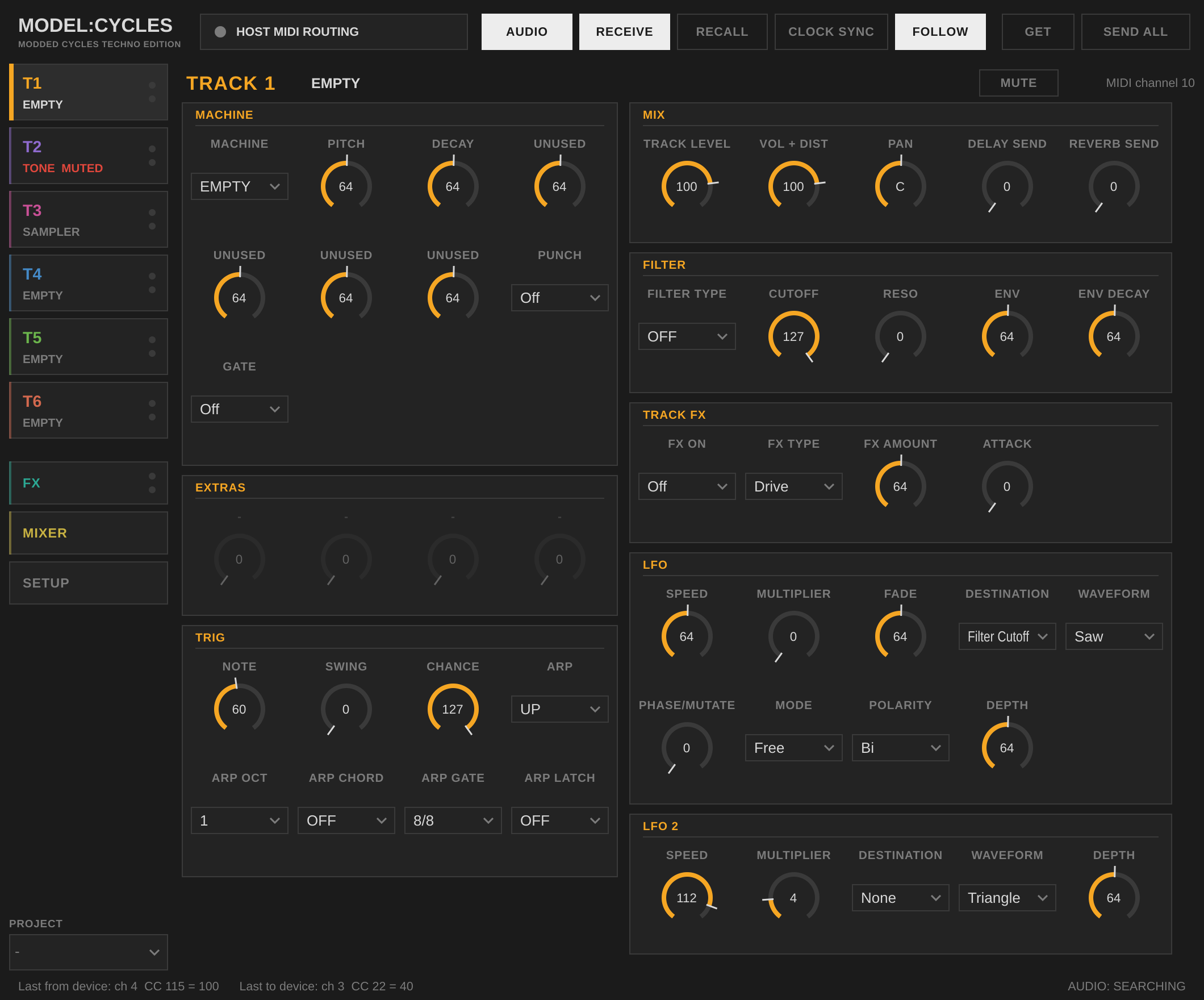
Installing
Download the zip for your system from the latest release of the Modded Cycles Techno Edition repository (github.com/mbreilly/Modded_cycles_techno_edition). Each zip holds the VST3, the standalone app and, on macOS, the AU.
| System | Install |
|---|---|
| macOS (universal: Apple Silicon and Intel) | Copy Modded Cycles Techno Edition.vst3 to ~/Library/Audio/Plug-Ins/VST3/ and Modded Cycles Techno Edition.component to ~/Library/Audio/Plug-Ins/Components/. |
| Windows | Copy Modded Cycles Techno Edition.vst3 to C:\Program Files\Common Files\VST3\. |
| Linux | Copy Modded Cycles Techno Edition.vst3 to ~/.vst3/. |
macOS: the plug-in is not signed by Apple, so macOS blocks it the first time. In Terminal, run once:
xattr -dr com.apple.quarantine ~/Library/Audio/Plug-Ins/VST3/"Modded Cycles Techno Edition.vst3" ~/Library/Audio/Plug-Ins/Components/"Modded Cycles Techno Edition.component"
then restart the DAW (in Logic, rescan in the Plug-in Manager). For the standalone app, right-click it and choose Open the first time.
To build it yourself: CMake 3.22 or later and a C++ compiler (Xcode or its Command Line Tools, Visual Studio 2022, or
GCC on Linux); JUCE is downloaded automatically. In the repository's plugin folder:
cmake -B build -DCMAKE_BUILD_TYPE=Release, then cmake --build build --config Release.
Rescan plug-ins and load Modded Cycles Techno Edition as an instrument on its own track.
Setting up the Model:Cycles
| Setting | Value |
|---|---|
| SETTINGS › MIDI CONFIG › SYNC | Receive CC/NRPN and Send CC/NRPN on. For CLOCK SYNC also Clock Receive and Transport Receive. |
| SETTINGS › MIDI CONFIG › PORT CONFIG | Input and output from USB (or MIDI with a DIN interface). |
| SETTINGS › MIDI CONFIG › CHANNELS | Tracks 1–6 and the FX channel matching the plug-in's SETUP page (defaults: 1–6, FX on 7). |
| SETTINGS › MIDI CONFIG › ENCODER DEST | I+E (internal + external), and MIDI OUT on for each track. Without them, turning a knob on the device sends nothing and the plug-in cannot follow it. |
| SETTINGS › Device › USB | Audio + MIDI, for audio streaming. |
| SETTINGS › Mods › USB Out | 2CH for the full stereo mix, 6CH for one output per track (or switch from the plug-in). |
The window
Along the top: the link status and seven buttons.
| Button | What it does |
|---|---|
| AUDIO | Plays the device's USB audio on the plug-in's outputs (on by default). |
| RECEIVE | Follows knob moves made on the device, and records them as automation. |
| RECALL | Sends the saved sound to the device when the project opens or the device reconnects. |
| CLOCK SYNC | Sends MIDI clock and transport from the DAW. |
| FOLLOW | Shows the track you are using on the device: on a knob turn, and, with this firmware, as soon as you press a track button (the device sends CC 119 on the FX channel, value 0–5 = T1–T6). |
| SEND ALL | Pushes every value to the device now (sidechain, Pol, master EQ and samples included). |
| GET | Reads the sound loaded on the device into the plug-in: every track's knobs, extras, filter and FX, the sidechain, Pol and the master EQ (NRPN 1:57; the FX channel must be on). With no saved sound, the plug-in does a GET by itself when it connects. The status line says how many values came back. |
On the left, the track rail: T1–T6 with each track's machine name, MUTED in red when muted, MIDI in/out lights and a level meter, then FX, MIXER and SETUP, and under them the PROJECT picker. The status line at the bottom shows the last message from and to the device, the audio stream (channels, rate, delay) and the clock.
Track, FX, mixer and setup pages
Track page
The track header carries the machine name, a MUTE button (CC 94) and the track's MIDI channel.
| Section | Controls | CC |
|---|---|---|
| MACHINE | Machine dropdown with the 28 machines, in the device's order (a new plug-in starts on EMPTY, like a new kit); Pitch, Decay and the four sound knobs, named as on the device's screen; Punch and Gate. A machine loaded on the device shows here at once. | 70, 65, 80, 16–19, 66, 67 |
| EXTRAS | The four extras, named and listed like on the device (DX Patch shows BEL … VOX). | 20–23 |
| TRIG | Note, Swing, Chance; the arpeggiator: Arp, Arp Oct, Arp Chord, Arp Gate, Arp Latch (they follow the device's menu and the playing pattern). | 3, 15, 14; NRPN 1:74–1:78 |
| MIX | Track Level, Vol + Dist, Pan (L/C/R), Delay Send, Reverb Send. | 95, 7, 10, 12, 13 |
| FILTER | Filter Type (Off / LP / HP / BP / LP24 / HP24), Cutoff, Reso, Env, Env Decay. | 26, 74, 71, 24, 25 |
| TRACK FX | FX On, FX Type (Drive, Bitcrush, Fold, Ring, Resonator, RAT), FX Amount, Attack. On and Type share CC 27: switching FX On off sends 0 and keeps the type for next time. | 27, 27, 28, 29 |
| LFO | Speed, Multiplier, Fade, Destination (a dropdown of the device's destinations: Pitch, Color … Filter Cutoff), Waveform (Triangle … Random, Turing 3 … Turing 16), Polarity (Bi / Uni, NRPN 1:56), Phase/Mutate (the start phase, or the Turing loops' mutation), Mode, Depth. | 102–109 |
| LFO 2 | The second LFO (LFO twice on the device): Speed, Multiplier, Destination, Waveform, Depth. Fade, Phase/Mutate, Mode and Polarity are LFO 1's. | 111–115 |
The extras, filter and track FX exist only on this firmware; the stock OS ignores CC 20–28. They also answer NRPN 1:40–1:43 (extras), 1:20, 1:21, 1:44–1:46 (filter) and 1:48, 1:49 (track FX).
FX page
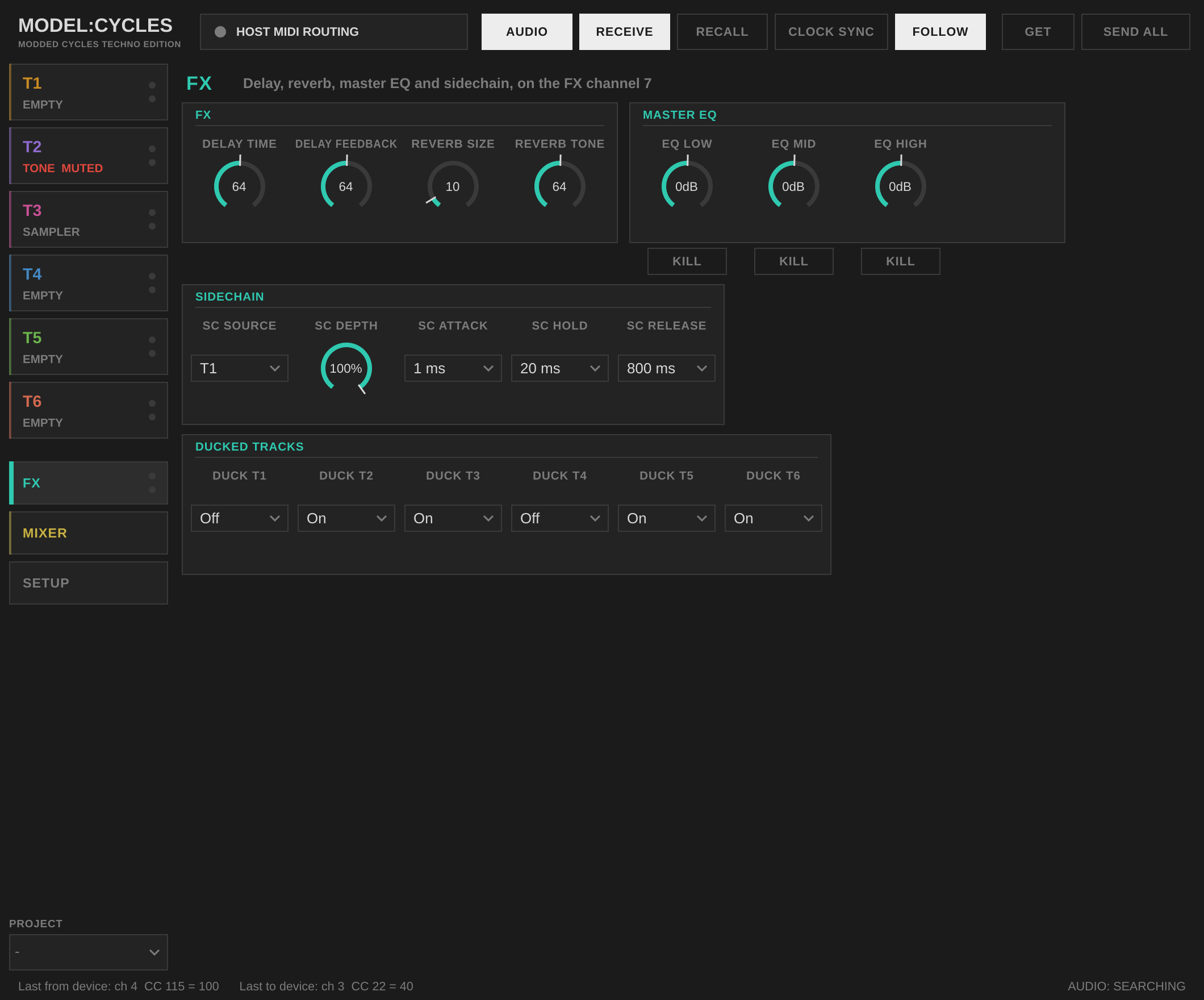
- FX: Delay Time, Delay Feedback, Reverb Size, Reverb Tone (CC 85–88 on the FX channel).
- SIDECHAIN: SC Source (Off, T1–T6), SC Depth (%), SC Attack, SC Hold and SC Release, the same values as SETTINGS › Mods on the device (Chapter 8). Sent as NRPN 1:50, 1:52–1:55 on the FX channel.
- DUCKED TRACKS: Duck T1–T6, sent together as one mask on NRPN 1:51.
- The plug-in keeps its own copy of the sidechain, saves it with the project and sends it on RECALL. After a change in SETTINGS › Mods on the device, press GET to bring it into the plug-in.
- MASTER EQ: LOW / MID / HIGH and a KILL button per band, on NRPN 1:63–1:65; it follows the knobs when you turn them on the device's EQ layer.
MIXER page
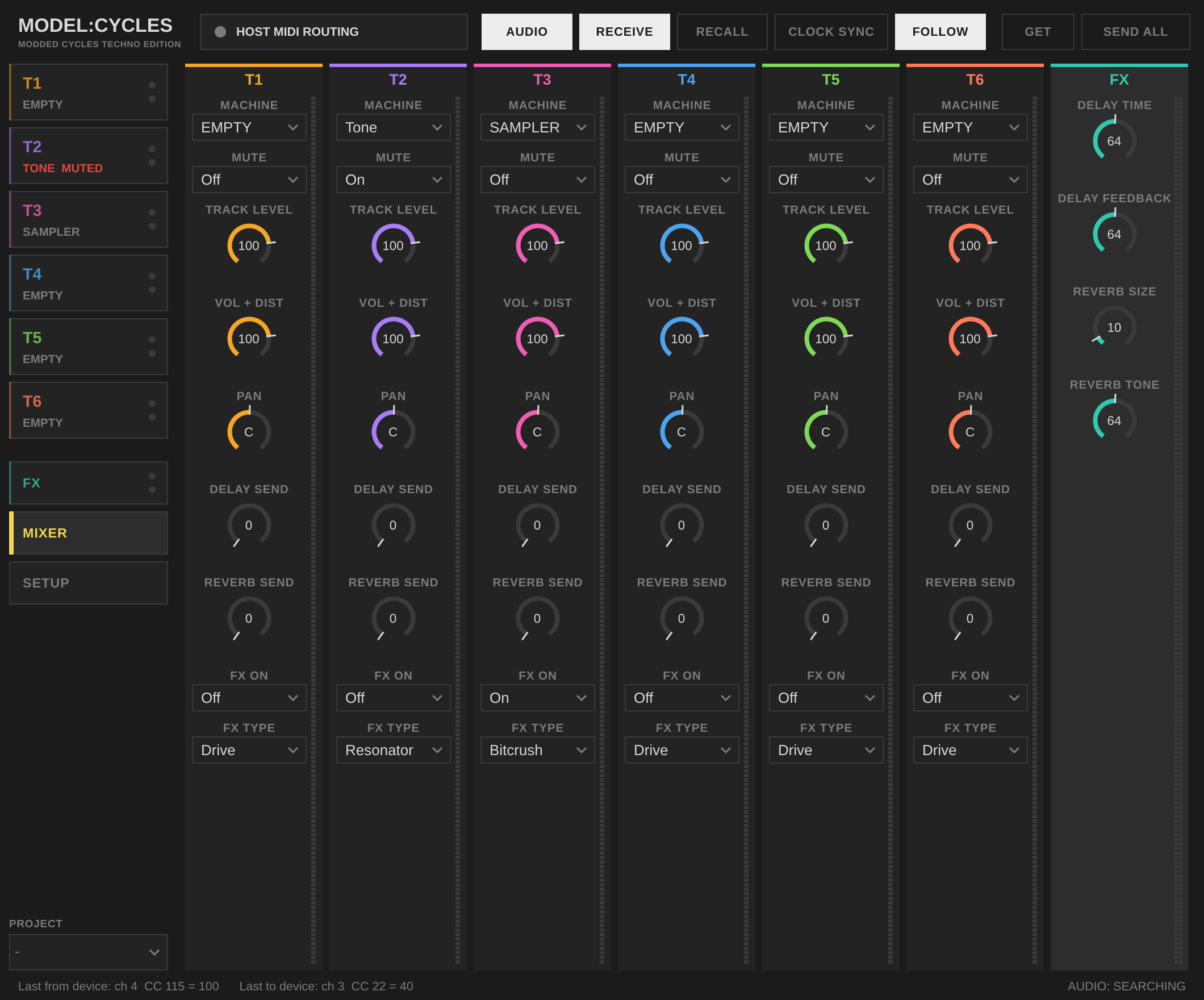
Each strip shows the machine, Mute, Track Level, Vol + Dist, Pan, Delay and Reverb Send, FX On and FX Type, with a level meter; the FX strip holds the delay and reverb. A whole kit can be set up from this one page.
SETUP page
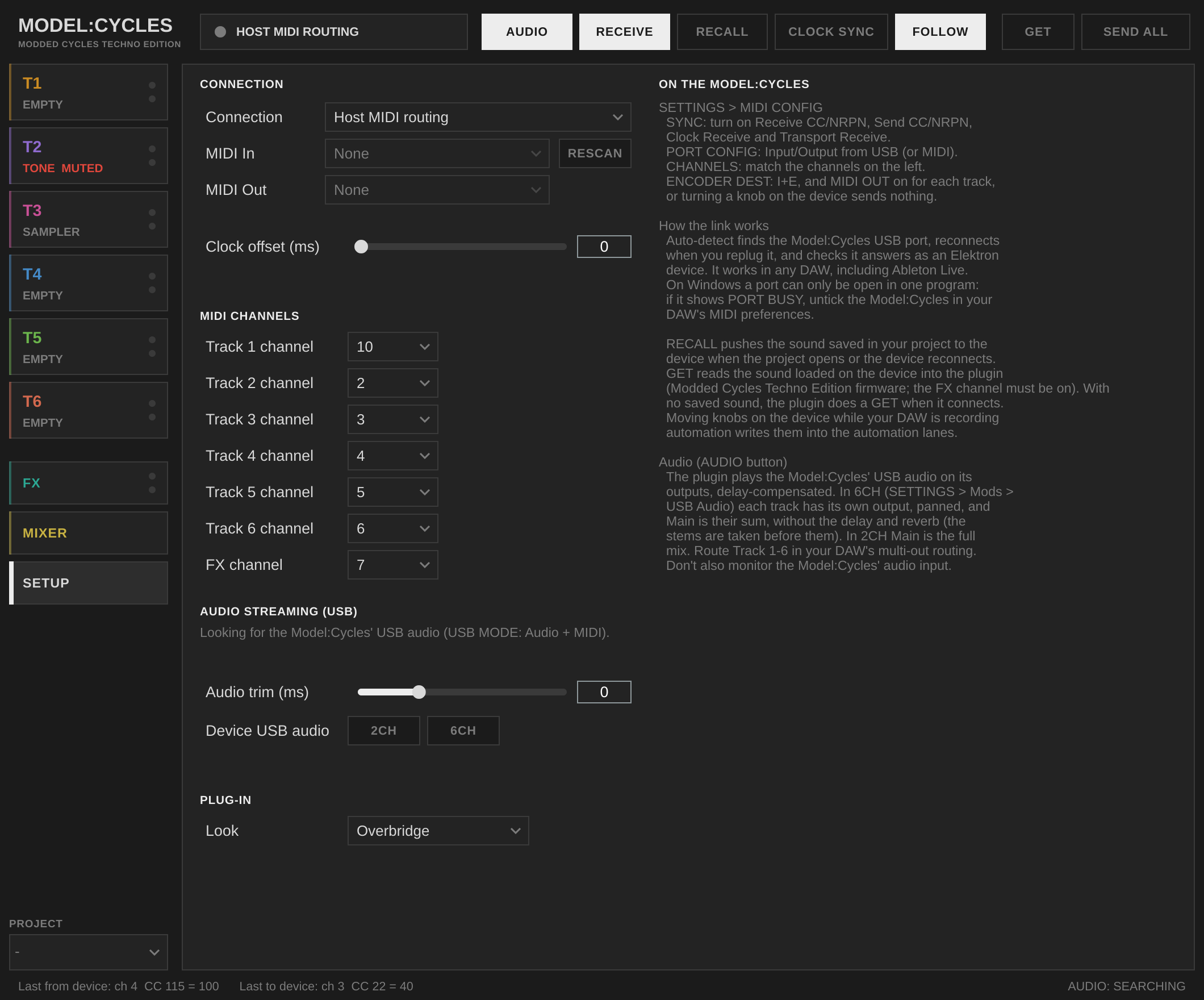
- Connection: the connection mode, the MIDI ports (Rescan) and the clock offset. The link status (CONNECTED, SEARCHING, PORT BUSY) is shown at the top of the window.
- MIDI channels of the six tracks and the FX channel; they must match the device.
- Audio streaming: channels, sample rate and delay, and Audio trim to line the device up with the grid.
- On the right, a reminder of the settings to make on the Model:Cycles.
- Device USB audio 2CH / 6CH: switches the device's USB Out setting (NRPN 1:47); the lit button shows what the stream reports.
- Plug-in › Look: how the plug-in looks, kept for all your projects. Overbridge (the default): flat dark grey, flat rings with the value inside, and a colour for each track (T1 amber, T2 purple, T3 pink, T4 blue, T5 green, T6 coral, FX teal, mixer yellow) on its rail button, page titles, rings, lit buttons and meters. Sleek: the same colours, thinner rings with the value under them, no boxes. Hardware: the earlier blue-grey look with black knobs.
In the Overbridge and Sleek looks the CC or NRPN number of a control is not printed under its name: hover over the control to see it.
Connection modes: Auto-detect Model:Cycles (USB), the default, which works in every DAW including Ableton Live; Choose MIDI ports for a DIN interface; Host MIDI routing for DAWs that route plug-in MIDI (Bitwig, Reaper, Logic, Cubase, FL Studio). If auto-detect finds nothing it falls back to the host's MIDI output.
The SAMPLE window
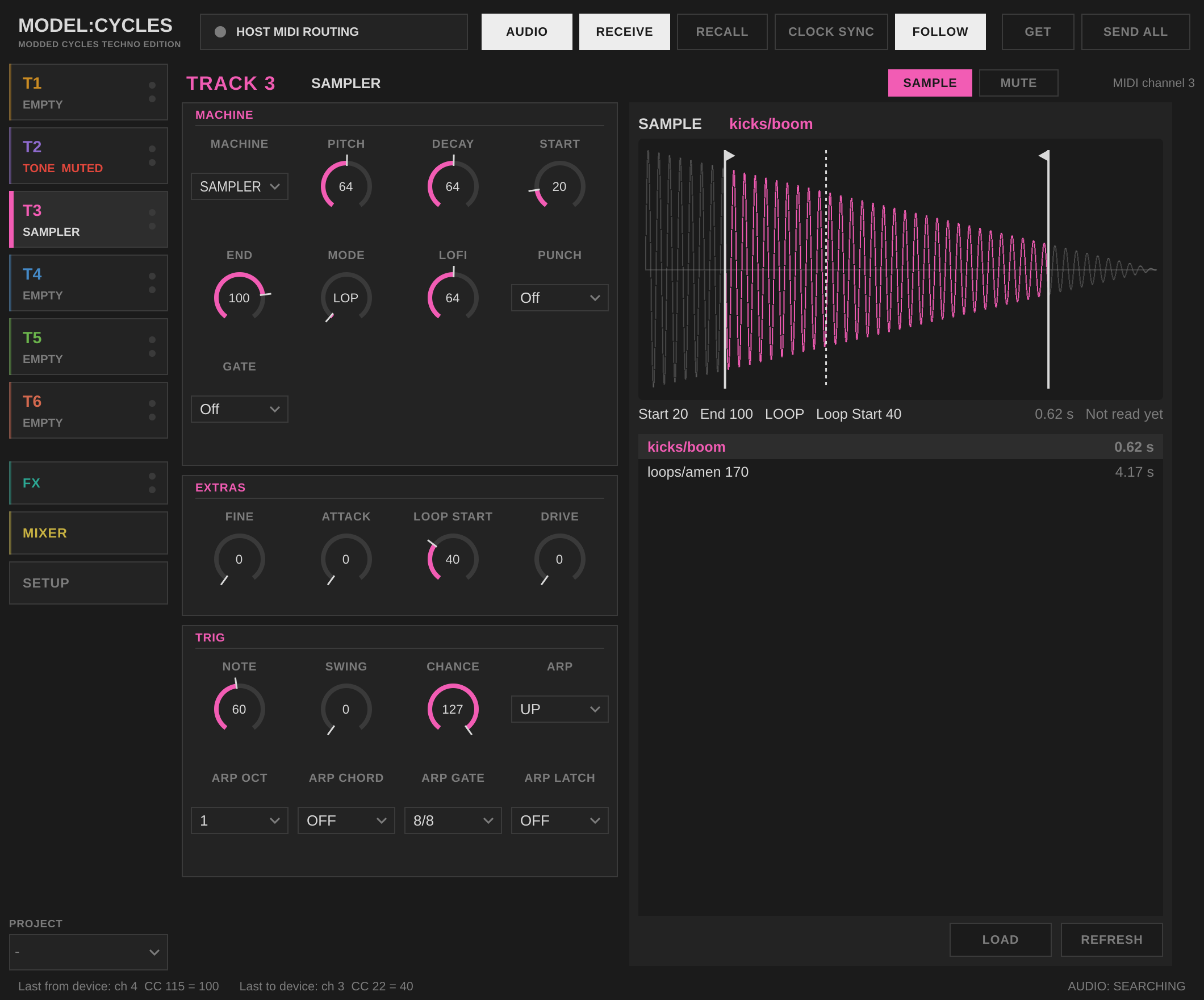
On a track playing SAMPLER, GRANULAR or WAVETABLE, the SAMPLE button in the track header swaps the MIX, FILTER, TRACK FX and LFO sections (LFO 2 too) for the track's sample:
- The waveform, with what the knobs do drawn on it, by the firmware's own formulas: the Start and End bars, the part that does not play dimmed and Loop Start (SAMPLER; in SLD and SLR the End bar is the loop length, and in SLR Loop Start is drawn where the backward loop restarts); the position, Spray's spread and the grains (GRANULAR); the frame that plays and the strip of frames (WAVETABLE).
- Drag the bars on a SAMPLER track: Start and End (and Loop Start in LOP, PNG, SLD and SLR). The knob moves with them, the Cycles follows, and the DAW records it as automation.
- The +Drive samples (sent with Elektron Transfer, Chapter 7): double-click one, or select it and press LOAD, to put it on the track. REFRESH reads the list again. A sample picked on the Cycles shows here too.
The plug-in only reads the +Drive (it never writes to it); send new samples with Elektron Transfer. Each waveform is read once and kept in the plug-in's Samples folder (on macOS ~/Library/Modded Cycles Techno Edition/Samples). The track's sample is saved with the DAW project and sent again by SEND ALL (NRPN 1:59–1:62).
Projects
The PROJECT picker under the track rail shows the Cycles' current project (its slot and name, or “(not saved)”) and, when you open it, the list of the projects on the device. Pick one to load it on the Cycles:
- If the current project has no unsaved changes, it loads at once (the picker shows LOADING… meanwhile).
- If it has changes, the plug-in asks: Save (the Cycles saves the current project in its slot, then loads the new one, with no question on the device), Don't save (loads, the changes are lost) or Cancel (nothing happens). A project that was never saved has no slot: then Save lets the Cycles ask where to save it, on its own screen.
- A project loaded or saved on the device itself also shows in the picker.
- While a project loads, the Cycles pauses its USB audio. The plug-in keeps the audio device open and waits, and holds off its +Drive reads, so switching projects while it streams does not hang USB audio.
Audio streaming and multi-out
With AUDIO on, the plug-in opens the Model:Cycles' USB audio itself and plays it on its outputs. It finds the device by name and reconnects after a replug or a 2CH/6CH switch.
| Output | 2CH | 6CH |
|---|---|---|
| Main | The device's stereo mix, with delay and reverb. | The panned sum of the six tracks (dry). |
| Track 1–6 | — | Each track on its own output, panned like on the device (a mono layout gets the raw stem). |
- Ableton Live: create audio tracks with Audio From set to the plug-in's track and the Track N output. Logic: load it as Multi Output and add the aux channels. Bitwig, Reaper: enable the extra outputs.
- Delay compensation: the plug-in reports its delay to the DAW so the device lands on the grid; fine-tune with Audio trim. A small, inaudible resampling keeps the device's clock and the audio interface in step.
- Run the DAW at 48 kHz for the lowest CPU. Do not also monitor the Model:Cycles as an audio input in the DAW, or you will hear it twice.
Sync, recall and automation
- Parameters: every Model:Cycles CC parameter of the six tracks and the FX channel, plus this firmware's extras, filter, track FX and sidechain, is a DAW parameter, sent on every change and received back when RECEIVE is on, without echo.
- Automation: turning a knob on the device opens a parameter gesture, so Write, Touch and Latch modes record hardware moves.
- RECALL: when the project opens or the device reconnects, the plug-in sends its saved sound to the device. A fresh, untouched plug-in never overwrites the device.
- CLOCK SYNC: 24 PPQN MIDI clock placed sample-accurately from the DAW playhead, Song Position Pointer and Start/Continue on play and on every locate or loop jump, Stop on stop (which also releases ATMOS drones).
- Play from the DAW: notes, CCs, bends and program changes on the plug-in's track go to the device, so it works in Ableton Live, which cannot route MIDI out of plug-ins.
Ableton Live and Push 2
The plug-in opens the Model:Cycles' USB MIDI port itself and sends the clock. Live must not drive the Cycles a second time, or you get a double clock (a stuttering, racing tempo) and every knob echoed. In Live's Preferences › Link, Tempo & MIDI:
| MIDI port | Track | Sync | Remote |
|---|---|---|---|
| Output: Model:Cycles | Off | Off | Off |
| Input: Model:Cycles | Off | Off | Off |
| Input and output: Push 2 (Live Port) | As Live sets them for Push 2 (leave them) | ||
- Turn the plug-in's CLOCK SYNC on: the Cycles follows Live's tempo and transport. If Sync is also on for the Cycles' output in Live, the tempo stutters.
- Turn Track off on the Cycles' input row, not by setting the plug-in track's MIDI From to No Input. The plug-in's track can then stay on All Ins, so Push 2 (and any keyboard) still plays it while the Cycles' own knob messages reach only the plug-in.
- Push 2: select or arm the plug-in's track (or set its Monitor to In) and play the pads: the notes go through the plug-in to the Cycles (see Play from the DAW, above). Use Push 2's encoders on the plug-in's parameters like any instrument's.
- For the audio, use the plug-in's outputs (AUDIO on) rather than an audio track with the Cycles as its input, or you will hear it twice.
Limits
- No delay or reverb on the 6CH track outputs: the stems are taken before the send effects and before pan. Use 2CH for the full mix, or add effects in the DAW. P-locked or LFO pan is not heard on the stems.
- No audio into the device: the Model:Cycles has no audio input.
- Sync is MIDI clock (about a millisecond of jitter), not Overbridge's protocol. Bounce in real time: an offline export cannot record the device.
- The device does not send p-locks and LFO moves as CCs, so the plug-in's knobs follow knob turns only. Changes in SETTINGS › Mods (sidechain) come back with GET.
- The plug-in does not send samples to the +Drive: use Elektron Transfer (Chapter 7).
- Windows: the device is opened in shared (WASAPI) mode; if the DAW holds it exclusively through ASIO, streaming shows an error. A MIDI port can be open in only one program: if SETUP shows PORT BUSY, untick the Model:Cycles in the DAW's MIDI preferences.
CHAPTER 11How the firmware is made
What was changed in Elektron's OS to make room for 19 more machines and the mods, and how the processor's limited time is shared between them.
Patching your own OS
The Model:Cycles runs on an NXP ColdFire MCF54415 processor. Its OS file holds several sections; this firmware changes only the main OS. The bootloader, the updater and the startup menu are byte for byte Elektron's, which is why the official OS can always be flashed back.
- Every change is a small table of byte writes, and each write carries a fingerprint (length and SHA-256) of the original bytes it replaces, never the bytes themselves. The patcher refuses any file whose bytes do not match, so it only ever works on the official OS 1.13, never on a modified file.
- After the writes, the patcher repacks and re-signs the OS the way the Cycles expects (with drumkilla's MIT-licensed mtlib toolkit, itself based on Marcel Bierling's elektron-firmware-tool) and checks the SHA-256 of the result against the value published with the release.
- No Elektron firmware is distributed: you build the firmware from your own official file, on your own computer.
Adding machines
The added machines are written in C (and a few in assembly) for the ColdFire, compiled, and packed together into a compressed payload stored inside the OS. At power-on a short routine unpacks it into memory, and the OS's own machine tables are extended so that machines 7 to 26 appear on the MACHINES list, in the sound browser and over MIDI like Elektron's six.
- Each machine follows the stock voice contract: once per block of 32 samples (0.67 ms) the OS hands it its knob values and asks for 32 new samples. PITCH, DECAY, PUNCH, GATE, the keys, p-locks and LFOs therefore work on the added machines exactly as on the stock ones.
- Everything is fixed-point integer code: no floating point, which the voice loop cannot afford.
- The four extras of each machine are new parameters added to the OS's parameter tables, saved with the sound like any other, with screen names and MIDI numbers of their own.
- Third-party designs are credited in each machine's table (Chapter 6) and in the licences (Chapter 12).
CPU management
Every block, the processor must compute six voices, the per-track filters and effects, the mixer, the send delay and reverb, the outputs and USB audio within 0.67 ms. When a block takes longer, the audio clicks. The stock OS only has six light machines to run; this firmware adds heavier ones, so it manages the processor's time in several ways:
| Technique | What it does | Gain |
|---|---|---|
| CPU budget | Each machine has a charge: its heaviest measured block, rounded up (appendix). The MACHINES list adds the six tracks' charges, their filters and insert effects, the rest of the OS (about 31 %), USB audio (8 % while a computer reads it) and the master EQ, and greys out any machine that would take the total over CPU Lim. It only limits choices; it never stops a sound. | Prevents overloads before they happen |
| Delay and reverb rest | The stock OS computes the send delay and reverb on every block, even with nothing sent to them. This firmware stops them after about 11 s without input, once their tails have died, and restarts them on the very block a track sends them sound (after Model-TG's effect bypass). | About 10 % of the CPU |
| Early delay read | The delay line's memory read is started before the voices are computed, so it runs in the background instead of being waited for (also after Model-TG). | About 4.5 % of a block |
| Silent tracks skipped | Two neighbouring tracks (1–2, 3–4, 5–6) that are both silent or on EMPTY skip the OS's Volume + Dist stage. A voice that has been silent for 64 blocks without a trig is not computed at all. | About 1.7 % per silent pair |
| Code cache in internal memory | The processor has only 8 KB of instruction cache, and the main memory is slow: six different machines would each reload their code on every block. The code of the machines that are playing is copied into the processor's 64 KB of fast internal SRAM (CHORD's wavetables move to main memory to make room). | 6–8 points with six different added machines |
| Load governor | Watches the time each block takes. An isolated heavy block (several tracks starting on the same step) is ignored, since it is already past; only a sustained overload fades out the least audible voice in the mix until its next trig. | No needless cut notes |
| Pay only for what you use | A filter or insert effect on OFF, a flat master EQ, an extra at 0, a sidechain on OFF: each costs nothing or almost nothing. EMPTY costs almost nothing, and new projects start with EMPTY on all six tracks. | Headroom stays free |
The CPU monitor (SETTINGS › Device › CPU) measures the real load on the device, with each track's share, so you can see all of this at work. The appendix lists every machine's cost.
Tuning the drum machines
The 909BD, 808BD, 909, 606 and 808 are circuit models: each part of the original schematic (oscillators, bridged-T resonators, envelopes, noise and metal sources, filters) is computed as such, not played back from samples. Their defaults were then tuned against recordings of real TR-909, TR-808 and TR-606 units: pitch, the time to fall 20 dB and 40 dB, the balance between tone and noise, and the spectrum of each voice. The 909 snare, for example, measures about 178 Hz at its default, falls 20 dB in 0.17 s and 40 dB in 0.29 s, close to the median of the reference recordings.
Their extras follow the real machines rather than effects: Accent as the 909's TOTAL ACCENT, the 808's accent level, Drift for the small hit-to-hit variations of analog parts, and the best-known hardware modifications (tuning ranges, long decays, the 808 hat's filter mod, the 606 kick and tom mods). Every extra at 0 is the plain machine, sample for sample.
Testing
Every part of the firmware is tested in emulation before release: the Model:Cycles' own OS code runs on an emulated ColdFire, stock against modified, with the patched firmware playing real patterns. The release build itself was then flashed and played on a Model:Cycles: the first 25 machines, Accent and Drift, the 909 snare and the boot screen. The MIDI machine, new in 1.1, is tested in emulation (the OS's own MIDI task, stock against modified).
- Each added machine running inside the OS is compared, sample for sample, with the same C code compiled for a computer, at its defaults and with random knob settings, trigs and voice changes.
- Each mod is checked on the OS's own code paths: the MACHINES list, the parameter and MIDI tables, the screens, the settings and their saving, the sidechain, the filter and effects, the USB audio stream.
- Mods never overwrite each other's changes, and the free memory each one uses is tracked in a registry.
- Only then is the firmware played on a real Model:Cycles.
CHAPTER 12Appendix
CPU budget
The figures below are the share of one 32-sample block that one track playing each machine takes, measured on the emulated OS running this firmware's own code, the OS voice chain included. Defaults is the machine at its defaults; Charge is its heaviest block rounded up, the figure the MACHINES list uses to grey machines out. 909 is charged for two parts ringing at once, 808 for a hat and a cymbal together, MACRO for its heaviest models. Two machines run clearly heavier on the device than in emulation, so their charge is what the device's CPU page showed: VACF 14 %, DX 10.5 %, ATMOS 16.5 %.
| # | Machine | Defaults | Charge | # | Machine | Defaults | Charge | |
|---|---|---|---|---|---|---|---|---|
| 1 | KICK | 7.2 % | 7.5 % | 15 | ACID | 5.5 % | 9.0 % | |
| 2 | SNARE | 6.9 % | 7.5 % | 16 | GROWL | 4.8 % | 7.0 % | |
| 3 | METAL | 6.3 % | 7.0 % | 17 | MACRO | 4.0 % | 15 % | |
| 4 | PERC | 5.9 % | 6.5 % | 18 | VACF | 6.8 % | 14.0 % | |
| 5 | TONE | 5.2 % | 6.0 % | 19 | XMOD | 5.1 % | 7.0 % | |
| 6 | CHORD | 8.0 % | 8.5 % | 20 | DX | 6.5 % | 10.5 % | |
| 7 | 909BD | 4.3 % | 9.0 % | 21 | ATMOS | 10.2 % | 16.5 % | |
| 8 | 808BD | 1.8 % | 4.5 % | 22 | SAMPLER | 2.6 % | 4.5 % | |
| 9 | RUMBL | 5.8 % | 9.0 % | 23 | GRANULAR | 4.5 % | 8.0 % | |
| 10 | 909 | 8.3 % | 20.5 % | 24 | WAVETABLE | 3.3 % | 6.0 % | |
| 11 | 606 | 6.2 % | 9.5 % | 25 | EMPTY | 0.4 % | 0 % | |
| 12 | 808 | 5.0 % | 16 % | 26 | MIDI | 0.4 % | 0 % | |
| 13 | METL2 | 6.5 % | 9.0 % | 27 | UBSAW | 4.6 % | 7.5 % | |
| 14 | BIAS | 2.5 % | 6.0 % | 28 | 707 | ≈ 5 % | 14.0 % |
| Added on top | Cost per track |
|---|---|
| Filter | LP / HP / BP 1.2 %, LP24 / HP24 1.7 % per filtered track; OFF costs nothing |
| Insert FX | CRS 0.2 %, FLD 0.5 %, RNG 0.6 %, DRV 1.0 %, RES 1.8 %, RAT 2.1 %; OFF costs nothing |
| Sidechain | 0.13 % with Src OFF, up to 2.3 % with five tracks ducked |
| Master EQ | 0 when all three bands are at 64; up to 3.9 % when in use |
| LFO polarity, CPU monitor | 0.09 %, 0.03 % |
| Turing Machine LFO (six tracks) | 0.2 %, 0.5 % at worst |
| LFO 2 | 0 while no track uses it; 1.7 % with all six tracks |
| The rest of the OS (sequencer, mixer, send delay and reverb, outputs) | about 31 % on the device; about 8–10 points less while the delay and reverb rest |
| USB audio to the computer (2CH or 6CH alike) | about 8 % while the computer reads it |
- Budget: the sound cracks near 100 %. The peak runs about 15 points above the average, most of all when three or four tracks hit on the same step, so keep the total (the CPU page) near 70 %: that is CPU Lim's default.
- What brings it down: sends at 0 on tracks that do not need them (the delay and reverb rest after about 11 s), EMPTY on unused tracks, filters and FX OFF where you do not need them, the master EQ flat.
- Heaviest: 909 with several parts ringing (20.5 %), ATMOS (16.5 %), 808 hat + cymbal (16 %), MACRO on its heaviest models (15 %), VACF (14 %), DX (10.5 %). An ATMOS drone costs its full price even between notes.
- Lightest: 808BD, SAMPLER, BIAS, WAVETABLE, GRANULAR, and MACRO on simple models.
- Example (the total as the MACHINES title shows it): 909BD, 808BD, 909, 808, ACID and SAMPLER = 31 + 63.5 = 94.5 % with every part at its heaviest, so the last machine you pick is greyed out at the default limit; with a lighter 808 track (or EMPTY) it fits.
Troubleshooting
| Symptom | Check |
|---|---|
| The patcher says the file is not the official one | Use model-cycles_OS1.13.syx exactly as downloaded from elektron.se (unzipped), never a file that was already modified. |
| The knobs give extras, filter or FX instead of their normal parameter | The knob layer is on (the PUNCH LED blinks): double-tap PUNCH. With Knb Lyr on MACH, close the MACHINES list. |
| PUNCH does nothing | With Knb Lyr on PUNCH, a short press does nothing: hold PUNCH half a second. Or set Knb Lyr to MACH for the stock PUNCH. |
| Turning LEVEL/DATA on the MACHINES list does not change the sound | Mch Clk is ON: press LEVEL/DATA to load. Set Mch Clk OFF for the stock behaviour. |
| Every hit of a drum sounds slightly different | Drift is up on that machine (an extra); set it to 0 for identical hits. |
| An LFO only moves one way | FUNC + LFO › Pol is on UNI for that track; set BI. |
| The sidechain changed when I loaded a project | Normal: it is saved with each project. |
| The computer shows 2 inputs instead of 6 | SETTINGS › Mods › USB Out is on 2CH; switch it (or use the plug-in's 6CH button). USB mode must be Audio + MIDI. |
| Elektron Transfer does not see a Model:Samples | Set SETTINGS › Device › Transfer to SMP; it resets to CYC at each power-on. |
| “Sample not found” when a project opens | The sample was deleted from the device or replaced; send it again and reload it on the track. |
| Clicks, dropped notes, the tempo stutters | CPU peaks over 100 %: check SETTINGS › Device › CPU (PEAK). Put the sends at 0 on tracks that do not need delay or reverb, use EMPTY on unused tracks, lighten ATMOS Space or GRANULAR density, and keep CPU Lim at 70–80 %. |
| The CPU page drops by about 10 points after a while | Normal: no sends for about 11 s, so the delay and reverb rest. They start again with the next note you send them. |
| Old delay repeats come back when I raise a DELAY send | Normal: the delay resumes where it stopped while it rested. |
| GATE does nothing on a short press | GATE is a long press (about half a second); a double tap opens the master EQ. |
| The mix has no bass, or no highs | A master EQ band is killed. Double-tap GATE and bring PITCH / DECAY / COLOR back to the centre. |
| A machine is greyed out on the MACHINES list | It would take the total over CPU Lim. Change a heavy machine on another track (or its filter / FX), or set SETTINGS › Mods › CPU Lim higher (or OFF). |
| A new project makes no sound | Normal: new projects load EMPTY on all six tracks. Pick a machine on each track. |
| An ATMOS drone keeps sounding | GATE is on: press STOP to release it, or turn GATE off. |
| Pressing a track button plays the track | Normal with Trk Trg ON. Set SETTINGS › Mods › Trk Trg to OFF to select without playing (TRK + track still plays). |
| macOS says the plug-in is damaged or cannot be opened | It is not signed by Apple: run the xattr command of Chapter 10 once, then restart the DAW. |
| The plug-in shows PORT BUSY | Another program (or the DAW's own MIDI settings) holds the Model:Cycles port. Untick it there. |
| The tempo in Live stutters or races | Double clock: turn Sync off for the Model:Cycles output in Live's MIDI preferences; the plug-in's CLOCK SYNC sends the clock (Chapter 10). |
| GET says “No answer from the Cycles” | The FX channel is off on the device (SETTINGS › MIDI CONFIG › CHANNELS), or the plug-in's FX channel does not match it. |
| Extras, filter or FX do nothing from the DAW | Receive CC/NRPN must be on; CC 20–28 work only on this firmware. |
| The plug-in does not follow knob turns | SETTINGS › MIDI CONFIG › ENCODER DEST must be I+E and MIDI OUT on for each track; RECEIVE on in the plug-in. |
| A Model:Samples refuses the update in Transfer | Once it runs this firmware, update it through the startup menu over MIDI IN with the model-samples file (Chapter 1). |
| The firmware does not start | Reflash through the startup menu (Chapter 1), or flash the official OS 1.13. |
Credits and licences
Modded Cycles Techno Edition by m_reilly, built on Modded-Cycles by 18nelli18 and contributors (MIT). Braids by Émilie Gillet (MIT), compiled unchanged for MACRO; RUMBL, VACF, METL2 and XMOD written from scratch after ideas from her Plaits, Rings and Warps, and DX's 32 algorithms in Plaits' encoding (MIT). UBSAW written from scratch on Adam Szabo's analysis of the JP-8000 super saw, after Graham Keane's UberSaw (MIT, idea only). Open303 by Robin Schmidt (MIT), rewritten for ACID; the Devil Fish is Robin Whittle's TB-303 modification (ideas only). model909 by DMDaudio (MIT) for 909BD and the 909's toms, rim, clap and snare. BIAS ported from bias 2.0 by 100demons (MIT), a clean-room voice after the published description of the Noise Engineering Basimilus Iteritas Alia. The 808 voices, the 909 hats and cymbals, the 606 (after Matthew Fecher's analysis), GROWL, ATMOS (plate after Jon Dattorro's published figure), EMPTY, RAT (a model of the published ProCo RAT circuit) and the sampler machines are this project's own code. Sample transfer, the CPU measurement and the delay and reverb rest after Model-TG by TinyGregAudio (MIT); 6-channel USB after ms-multi-output by Scott Metoyer (MIT); Model:Samples packing from Modded-Cycles (original flasher by RDS (AIM), integrated by DaftMaple); scrolling names, trig preview and the mtlib toolkit by drumkilla (MIT), after Marcel Bierling's elektron-firmware-tool (MIT); level and pan numbers after a mod by djd_oz. The plug-in is built with JUCE and licensed under the AGPL-3.0; everything else is MIT. Full licence texts are in the repository.
Elektron, Model:Cycles, Model:Samples, Overbridge and Elektron Transfer are trademarks of Elektron Music Machines MAV AB. TR-606, TR-808, TR-909 and TB-303 are trademarks of Roland Corporation. This firmware is not made, endorsed or supported by Elektron or Roland.